
🧠 AI Quiz
Think you really understand Artificial Intelligence?
Test yourself and see how well you know the world of AI.
Answer AI-related questions, compete with other users, and prove that
you’re among the best when it comes to AI knowledge.
Reach the top of our leaderboard.

















Iconly AI

What is Iconly AI?
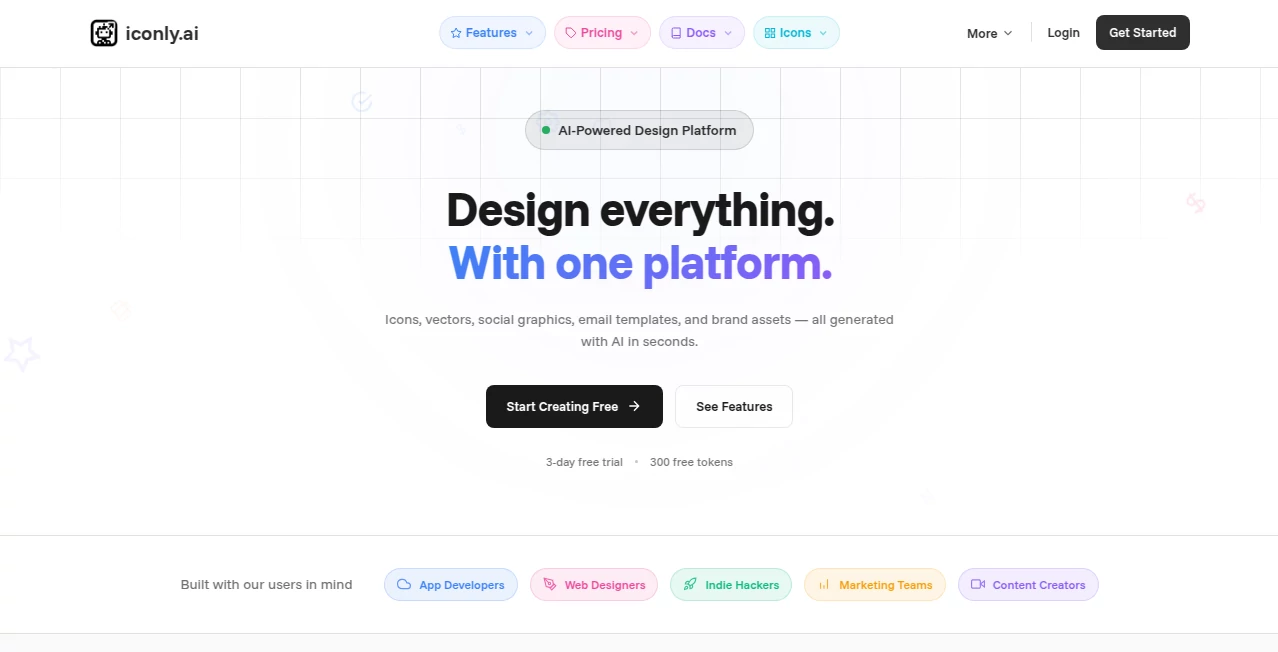
Good icons can quietly elevate an entire interface—make buttons feel intuitive, dashboards look polished, apps feel trustworthy. The trouble is finding ones that match your brand, or worse, spending hours tweaking vectors to get them just right. This library changes that equation completely. Thousands of clean, modern icons, all fully customizable—color, size, stroke, even corner radius—with instant previews and one-click downloads in every format you could need. I’ve lost count of how many times I’ve grabbed a set here, tweaked a few details to match a client’s palette, and had them look like bespoke work without touching Illustrator. It saves real time and still looks premium.
Introduction
Icons are small, but they carry a lot of weight. A mismatched or dated set can make even the best UI feel amateur. This collection was built with that reality in mind: high-quality line icons in consistent style families, designed by people who understand product work, and made ridiculously easy to adapt. No more downloading free packs only to discover half the glyphs are missing or the weights don’t match. Whether you’re prototyping a new app, refreshing a website, or building a design system from scratch, it gives you a solid, cohesive foundation fast. The variety—bold, light, duotone, bulk, broken—means you’re not locked into one aesthetic. It’s become a quiet staple for indie makers and agencies alike because it just works.
Key Features
User Interface
The moment you land, it’s obvious someone thought about flow. Search is lightning-fast and smart (type “bell” and get variations instantly), filters are logical (style, weight, category), and every icon page shows live customization controls right below the preview. Change color, stroke width, corner rounding, flip, rotate—see updates in real time. Download buttons are prominent, with SVG, PNG, React, Vue, Flutter, and more all one click away. It never feels like you’re hunting; everything is where you expect it to be.
Accuracy & Performance
Every icon is pixel-perfect at any size—sharp at 16px for mobile, crisp at 128px for hero sections. Stroke consistency across sets is excellent; no awkward thickness jumps when switching families. Generation of customized versions is instantaneous, and downloads are clean, optimized files—no bloated SVGs or hidden clipping paths. The library is actively maintained—new icons arrive regularly, broken ones get fixed quickly, and the search stays relevant. It’s the kind of reliability you only notice when you’ve suffered through lesser libraries.
Capabilities
Over 10,000 icons across multiple styles (line, bold, bulk, broken, two-tone, etc.), full customization (color, stroke, size, corner radius, flip/rotate), instant preview of changes, multiple export formats (SVG, PNG, React/JSX, Vue, Flutter, JSON for Figma plugins), bulk download for entire sets, and integration snippets for popular frameworks. It covers every common UI need—navigation, e-commerce, social, arrows, charts, weather, emojis—and then some. The customization depth means you can make a whole icon family feel custom without drawing a single glyph.
Security & Privacy
No account is required for core use, so your searches and downloads aren’t tied to a profile unless you want saved sets or bulk access. Files are served directly—nothing is processed or stored on their servers after you click download. For designers and teams handling client work, that zero-friction, zero-tracking approach feels clean and trustworthy.
Use Cases
A freelance designer grabs a matching set for a client dashboard, tweaks the primary color in seconds, and delivers polished mockups that look custom. An indie app developer replaces default Material Icons with a consistent line set that matches their brand—conversion pages suddenly feel more cohesive. A startup marketing lead downloads bulk social icons, recolors them to brand palette, and has every post asset ready in an afternoon. A product team builds a design system library by exporting React components directly—no manual conversion needed. Wherever visual consistency matters and time is tight, it quietly solves the problem.
Pros and Cons
Pros:
- Customization is deep yet intuitive—get exactly the look you need without external editors.
- Consistent quality across thousands of icons—no weak spots in coverage.
- Export options cover every modern workflow—designers, developers, no-code builders.
- Free tier is genuinely useful—not just a teaser.
- Regular updates keep the library fresh and relevant.
Cons:
- Very niche or ultra-specialized icons may still require custom work.
- Unlimited bulk downloads and advanced features require a paid plan.
- Some very stylized sets lean heavily into one aesthetic (though variety overall is strong).
Pricing Plans
Free access gives you hundreds of icons with basic customization—more than enough for small projects or testing. Pro unlocks unlimited downloads, full customization on every icon, bulk exports, premium styles, and no attribution needed. Pricing is straightforward and affordable—many solo creators and small teams say it pays for itself after one major project. No hidden fees, no per-icon charges—just access to the whole library.
How to Use Iconly
Search for the icon you need (or browse categories), click it to open the editor. Adjust color, weight, size, corner radius, flip/rotate—watch changes live. When it looks right, choose your format: SVG for web/dev, PNG for quick inserts, React/Vue/Flutter components if you’re coding, or JSON for Figma import. Download single icons or grab entire sets in bulk (paid). Copy code snippets directly into your project if needed. The whole process takes seconds per icon and feels effortless.
Comparison with Similar Tools
Many free icon packs are inconsistent in style or missing key glyphs. Premium libraries can feel overpriced or locked behind subscriptions that don’t allow full customization. This one gives you pro-level quality, deep personalization, and flexible exports at a price that feels fair. It’s less about overwhelming quantity and more about usable, beautiful icons that fit real product work—exactly what most teams actually need.
Conclusion
Icons are small, but they shape how people feel about your product. When they’re inconsistent, dated, or hard to adapt, the whole interface suffers. This library quietly removes that friction—giving you beautiful, flexible, ready-to-use icons that make everything look more intentional. Whether you’re building your first MVP, refreshing a large product, or just want your presentations to feel sharper, it’s the kind of tool you wish you’d found sooner. Simple, powerful, and genuinely useful.
Frequently Asked Questions (FAQ)
How many icons are there?
Over 10,000 across multiple families—plenty to cover any UI need.
Can I customize icons for free?
Yes—basic color, size, and weight adjustments are free; advanced options (corner radius, bulk, premium styles) are Pro.
What export formats are available?
SVG, PNG, React/JSX, Vue, Flutter, JSON (Figma), and more—ready for any workflow.
Do I need to give credit?
Free tier asks for attribution link; paid plans remove that requirement.
Are the icons consistent across sets?
Yes—designed as cohesive families with matching weights, proportions, and style logic.
AI Icon Generator , AI Design Assistant , AI Design Generator , AI Graphic Design .
These classifications represent its core capabilities and areas of application. For related tools, explore the linked categories above.
Iconly AI details
This tool is no longer available on submitaitools.org; find alternatives on Alternative to Iconly AI.
Pricing
- Free
Apps
- Web Tools
Categories

Iconly AI Alternatives Product

Banana AI
MakeBanner.ai

Plottie

AI Signature…

bratgenerator

deck cleaner
Nano Banana 2

Grok Imagine

Nano Banana …
