
🧠 AI Quiz
Think you really understand Artificial Intelligence?
Test yourself and see how well you know the world of AI.
Answer AI-related questions, compete with other users, and prove that
you’re among the best when it comes to AI knowledge.
Reach the top of our leaderboard.


















Loova

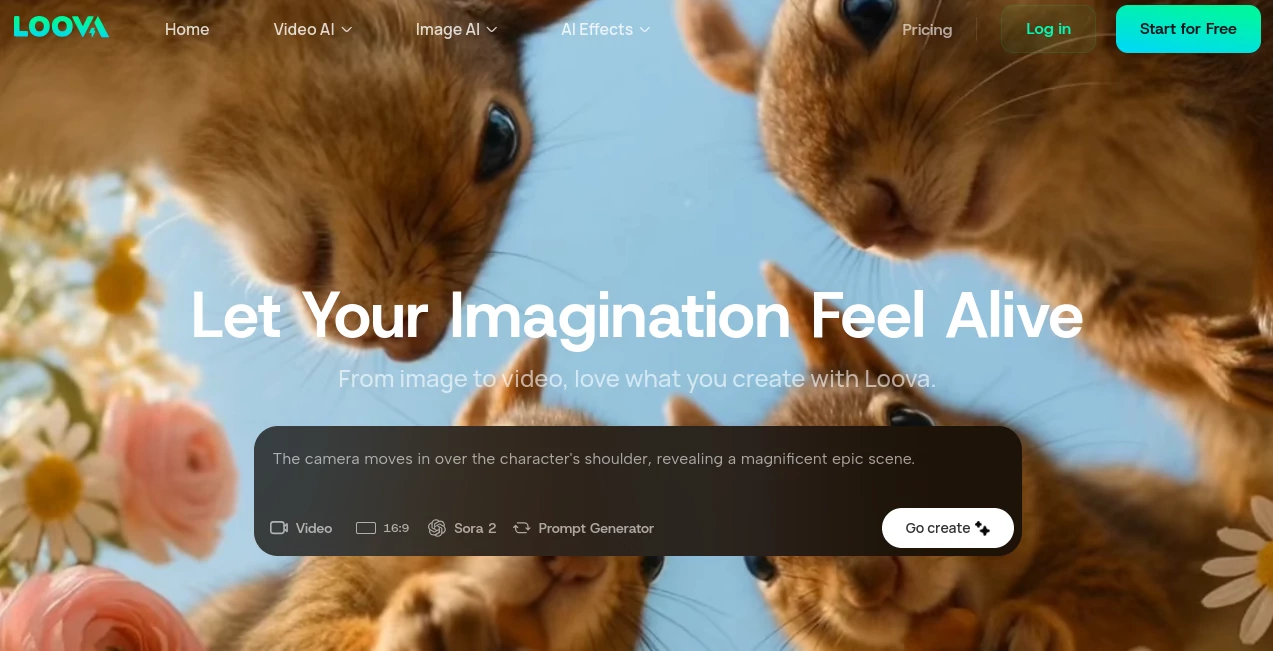
What is Loova?
There's something downright addictive about watching a vague idea in your head turn into a slick video clip or stunning image, all without wrestling multiple apps or subscriptions. This platform nails that thrill, bundling top-tier models into one welcoming space where text, photos, or even effects spark into finished pieces that feel professional. A marketer friend of mine turned a boring product description into a viral reel overnight—complete with smooth motion and spot-on vibes—and couldn't stop grinning about how effortless it felt.
Introduction
In the rush to churn out eye-catching content for feeds, stories, or ads, juggling different generators eats up time and creativity. This spot fixes that beautifully, gathering leading AI engines—like Kling for realistic clips with native audio, or Flux for character consistency—under one roof. No more hopping tabs or managing separate logins; just pick your tool, feed it a prompt or upload, and let it weave the magic. It's geared for everyone, from casual scrollers dreaming up fun filters to pros crafting cinematic shorts, with a prompt helper that nudges even blank minds toward brilliance. The real charm? It celebrates that "from image to video" leap, making creations you actually love, every time.
Key Features
User Interface
Step in, and it's like walking into a well-lit studio—clean layout with big, inviting sections for text-to-video, image-to-video, or effects that beg you to dive right in. Dropdowns for models sit handy without overwhelming, and previews load quick so you can iterate without losing momentum. My first session felt like chatting with a patient collaborator: type a wild idea, tweak a setting, and watch it evolve, all on a page that adapts nicely whether you're on desktop or sneaking a create during downtime.
Accuracy & Performance
These models don't mess around—Kling handles motion and audio with a realism that surprises, while others lock in characters or styles across generations without weird drifts. Outputs arrive steady and fast, even for detailed prompts, holding quality from quick tests to polished finals. I've pushed it with quirky requests, like turning a static portrait into a dancing scene, and it delivered fluid results that needed barely a nudge—reliable enough to trust for deadlines.
Capabilities
Go from plain words to full videos, breathe life into stills with dynamic movement, remix images, or slap on effects for that viral punch—cinematic flair, fun filters, whatever fits the mood. The unified setup means seamless switches between image and video tools, with smart prompt aids that refine your thoughts into gold. It's versatile for infographics, animations, or trend-chasing clips, turning rough concepts into share-ready gems that pop.
Security & Privacy
Built with creators in mind, it processes your inputs responsibly, keeping things contained without unnecessary lingering or shares. For commercial folks, the compliance backbone adds that extra reassurance, letting you focus on the fun rather than fretting over data trails. It's the quiet confidence that comes from knowing your wild experiments stay just yours.
Use Cases
Social media hustlers craft reels that hook scrolls with effects and synced audio, boosting engagement without hours of editing. Brands mock up ad concepts, testing visuals from text ideas to see what resonates before big spends. Hobbyists play with personal photos, animating memories into short stories that delight family chats. Educators whip up animated explainers from simple prompts, making lessons stickier and more fun.
Pros and Cons
Pros:
- Everything in one spot saves sanity and subscriptions—no more app overload.
- Top models deliver that pro polish, even for beginners chasing viral vibes.
- Prompt helper turns "I don't know" into inspired starts effortlessly.
- Effects library adds instant flair, perfect for standing out in crowded feeds.
Cons:
- Heavy creations might chew credits quicker on busier days.
- Some advanced tweaks wait behind model-specific unlocks.
Pricing Plans
It welcomes you with accessible tiers that scale as your ideas grow—details tucked neatly for when you're ready to commit deeper. Free tastes let you explore the playground, while paid paths open fuller access to models and queues, keeping costs tied to your ambition without surprises. Flexible enough for casual dips or daily dives.
How to Use Loova
Land on the home base, choose your mode—text for fresh starts, image for evolutions, or effects for quick hits. Spill your vision in the prompt (use the generator if stuck), select a model that matches your mood, and let it render. Preview, refine with a regen or tweak, then download or share. I started with a sunset photo, added a dreamy effect, and had a looping video ready for stories in under ten minutes—build from there, mixing tools for richer results.
Comparison with Similar Tools
Standalone generators often lock you into one engine with its quirks, but this one's strength lies in the variety—switch models mid-project for the best fit, without the fragmentation. It edges out siloed options by blending image and video flows so naturally, delivering consistent quality where others might stutter on transitions or effects. For creators craving a true playground over a single swing, it's the inviting choice that keeps inspiration flowing.
Conclusion
This platform captures the joy of creation in its purest form, handing you a toolbox that's as powerful as it is playful. It lowers the barriers just enough to let ideas run wild, resulting in content that feels personal and polished. Whether you're chasing likes, telling stories, or just experimenting, it's the companion that turns "what if" into "watch this"—worth every moment you spend exploring its corners.
Frequently Asked Questions (FAQ)
What models can I play with?
A solid lineup including Kling for audio-rich videos, Flux for character magic, and more—plenty to match any project.
Best for beginners?
Absolutely—the prompt aids and simple flow make diving in feel welcoming, not overwhelming.
Commercial use okay?
Yes, with compliance that supports pro creations confidently.
How about effects?
A dedicated section for viral-ready touches, from cinematic to quirky filters.
Free to try?
Plenty of entry points to get hooked before going deeper.
AI Photo & Image Generator , AI Text to Video , AI Video Generator , AI Art Generator .
These classifications represent its core capabilities and areas of application. For related tools, explore the linked categories above.
Loova details
This tool is no longer available on submitaitools.org; find alternatives on Alternative to Loova.
Pricing
- Free
Apps
- Web Tools
Categories

Loova Alternatives Product

Nano Banana …

Sora 2 AI

AI ASMR Gene…

WonderShare …

vei4 ai

ChatGPT Imag…

JoyFlix AI

Fiddl.art

Seedance 2.0
