
🧠 AI Quiz
Think you really understand Artificial Intelligence?
Test yourself and see how well you know the world of AI.
Answer AI-related questions, compete with other users, and prove that
you’re among the best when it comes to AI knowledge.
Reach the top of our leaderboard.

















loraai.me
What is loraai.me?
There’s a special kind of excitement that hits when you realize you can train an AI to draw exactly in your style—or your favorite artist’s—without needing a supercomputer or months of tweaking. This platform makes that feeling real and surprisingly simple. You upload a handful of your own images, give it a few descriptive words, and a little while later you’re generating art that feels unmistakably yours. I’ve watched friends go from “I wish my drawings looked this consistent” to posting cohesive series on social media in under a week. It’s not just powerful; it’s genuinely fun.
Introduction
Most people think training a custom model is either impossibly technical or ridiculously expensive. This tool quietly proves both ideas wrong. It’s built around LoRA (Low-Rank Adaptation), a method that lets you fine-tune massive models with very few images and minimal compute. The result? You get a personal style pack that works beautifully with popular bases like SDXL or Flux, and it’s all done through a clean web interface—no command line, no Colab notebooks. Creators who’ve used it talk about finally being able to produce consistent characters, branded visuals, or entire art series without losing sleep over prompt engineering. It feels like the moment digital art stopped being a compromise and started being an extension of your own hand.
Key Features
User Interface
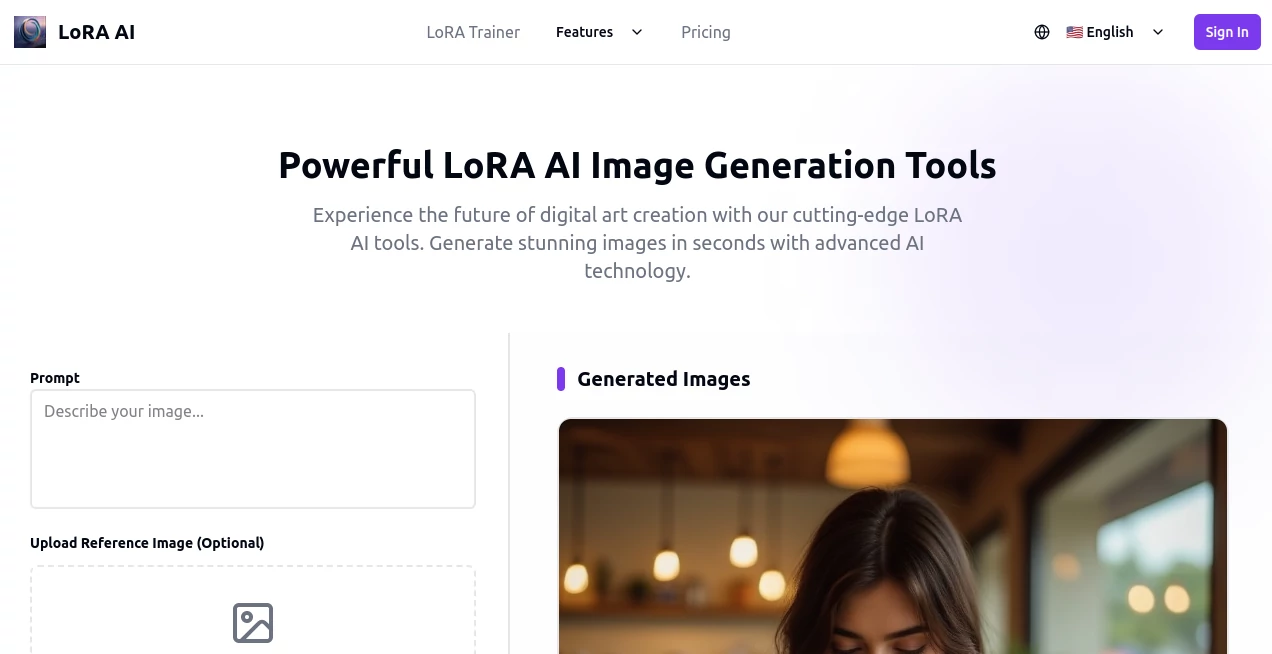
The dashboard is calm and focused. You start by uploading 10–30 images (the sweet spot), add a few trigger words and style notes, choose your base model, and hit train. Progress shows clearly, and once it’s done you can immediately start generating in the built-in playground. No overwhelming options, no hidden menus—just the essentials presented thoughtfully. It’s the kind of design that makes you feel capable instead of confused.
Accuracy & Performance
What stands out most is how faithfully it captures the look you’re going for. Faces stay consistent, lighting and color palettes hold together, even small stylistic quirks like brush texture or line weight survive across generations. Training usually finishes in 30–90 minutes depending on settings, and inference is fast enough that you can iterate quickly. The models are lightweight too—most sit between 50–150 MB—so sharing or loading them later is painless.
Capabilities
You can train on anything: your own face for self-portraits, a specific painting style, a character design, product photography look, anime aesthetic, architectural rendering vibe… the list goes on. It supports SD 1.5, SDXL, Flux, and Pony bases. You can also merge multiple LoRAs, adjust strength on the fly, and use advanced options like captioning help and regularization images if you want even tighter control. It’s flexible without ever feeling chaotic.
Security & Privacy
Your training images are processed securely and deleted after the job finishes (unless you choose to keep the dataset). Models are private by default—you decide whether to share them publicly or keep them just for yourself. It’s reassuring when you’re uploading personal artwork or client references.
Use Cases
Illustrators build style LoRAs to keep their look consistent across commissions. Indie game devs train character packs so every sprite matches perfectly. Etsy sellers create product mockups in their brand aesthetic without reshooting. Writers generate cover art that actually feels like their story. One friend trained a LoRA on her watercolor journal pages and now uses it to turn quick notes into finished pieces—she says it feels like having a second version of herself who never gets tired.
Pros and Cons
Pros:
- Very approachable even if you’ve never trained anything before
- Excellent consistency and style capture with small datasets
- Multiple popular base models supported (including Flux)
- Lightweight files that are easy to store and share
- Fast training and instant generation testing
Cons:
- Best results still come from well-prepared, consistent input images
- Training time varies with queue and settings (though rarely excessive)
Pricing Plans
It’s credit-based and surprisingly fair. Free users get a small daily allowance to experiment. Paid plans start low and scale with usage—enough for hobbyists without breaking the bank, and generous enough for professionals running multiple trainings per week. Credits never expire, and there are no hidden “pro” walls on core features.
How to Use It
Sign up, go to “Train LoRA”, upload 10–30 images of your subject or style (same lighting and angle helps a lot), write a short description and trigger word (like “in mystyle”), choose base model and settings, then start training. While it runs you can do other things. When it’s ready, jump to the generator, type your prompt with the trigger word, adjust LoRA strength (usually 0.7–1.0), and generate. Save good seeds, tweak, iterate. It becomes addictive very quickly.
Comparison with Similar Tools
Compared to cloud services that charge per hour of GPU time or local setups that demand powerful hardware, this one feels like the sensible middle path: fast, affordable, and actually user-friendly. It doesn’t overwhelm with a thousand sliders, but it also doesn’t limit you to toy-level results. For most creators who want personal models without moving into full dev territory, it lands in a very sweet spot.
Conclusion
This platform quietly removes one of the biggest barriers between imagination and consistent output. You no longer need to be a prompt wizard or own a render farm—just good images and a clear idea. The joy of seeing your own style come back at you generation after generation never really gets old. If you’ve ever wanted your art to feel unmistakably yours across dozens of pieces, this is one of the most satisfying tools you’ll find right now.
Frequently Asked Questions (FAQ)
How many images do I need?
10–30 is ideal. More can help with complex styles, but quality matters far more than quantity.
Can I train on Flux?
Yes—Flux support is one of the strongest points right now.
Are the models private?
By default yes. You choose if/when to share them publicly.
How long does training take?
Usually 30–90 minutes depending on queue and settings.
Can I use it commercially?
Yes—the models you train are yours to use however you want.
AI Text to Image , AI Image to Image , AI Art Generator , AI Design Generator .
These classifications represent its core capabilities and areas of application. For related tools, explore the linked categories above.
loraai.me details
Pricing
- Free
Apps
- Web Tools
Categories

loraai.me Alternatives Product

Chibi Art

Z-Image

Flux.2 AI

NanoBananaPro

Flux2 Klein

WonderShare …

Nano Banana …

PicLumen AI …

qwen image 2…
