🧠 AI Quiz
Think you really understand Artificial Intelligence?
Test yourself and see how well you know the world of AI.
Answer AI-related questions, compete with other users, and prove that
you’re among the best when it comes to AI knowledge.
Reach the top of our leaderboard.

















Nano Banana Pro

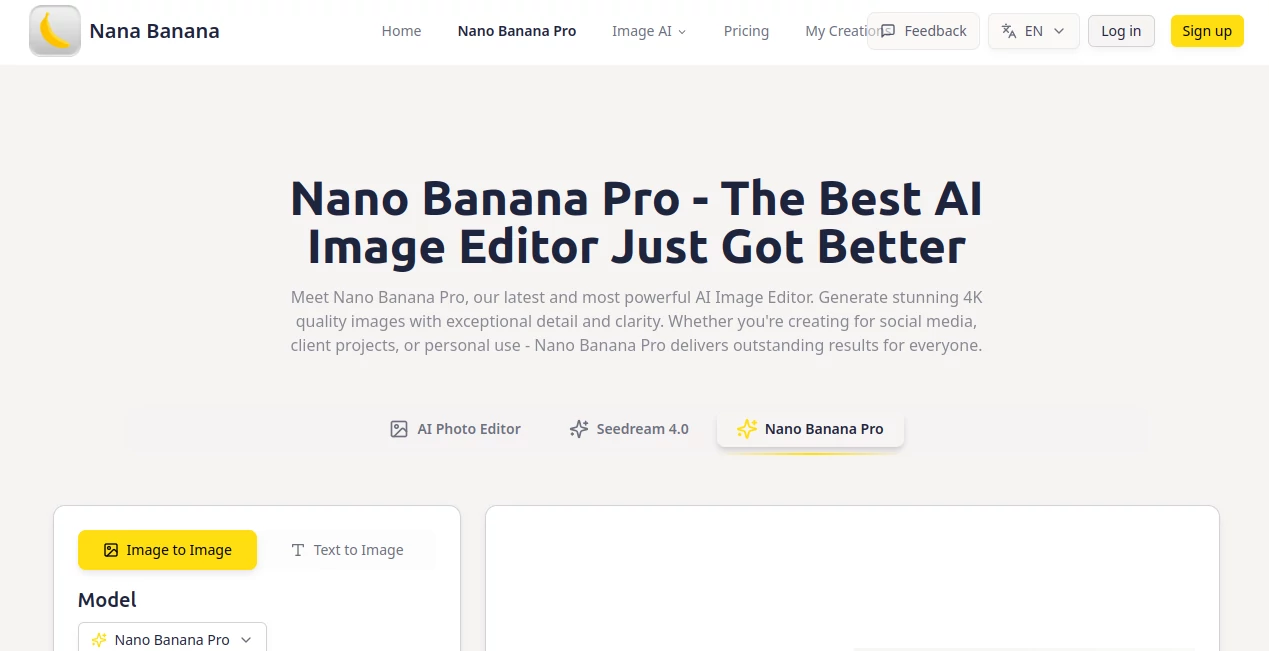
What is Nano Banana Pro?
Nano Banana Pro steps into the spotlight as a powerhouse for turning everyday snapshots into breathtaking visuals, all with the ease of a few keystrokes. This clever editor invites users to upload a starting point and describe their vision, yielding results that burst with clarity and life. Those who've dabbled in it often recount the thrill of seeing a simple idea bloom into something shareable or sellable, without the usual hours lost to fiddling with layers or filters.
Introduction
Nano Banana Pro arrived as a breath of fresh air for creators bogged down by bulky software that demanded a degree just to start. Crafted by folks who knew the pain of mismatched outputs, it launched with a promise to keep things simple yet striking, and it delivered from day one. Users quickly filled forums with examples of moody portraits or vibrant scenes that captured just the right glow, turning skeptics into regulars. Over time, it's carved out a spot where accessibility meets ambition, letting beginners craft pro-level pieces while seasoned hands push boundaries further, all rooted in a system that listens closely to what you say.
Key Features
User Interface
The setup unfolds in a tidy trio of steps, kicking off with a drag-and-drop zone that grabs your file without a fight, supporting a handful of common formats up to a reasonable size. From there, a plain prompt field waits for your words, with hints on what to weave in for the best bite, and the whole thing wraps with a download button that pops up once the magic settles. It's the kind of flow that feels like sketching on a napkin—quick, forgiving, and focused on getting you to the good stuff without side quests.
Accuracy & Performance
When you lay out a layered idea, it picks up the pieces with a steadiness that surprises, placing elements where they belong and dialing in the tones without wild swings. Results land in a flash, often before you've finished your coffee, keeping the pace lively even for folks juggling multiple mocks. Many who've run it through its paces praise how it sticks to the script you give, cutting down on the redo loops that plague less tuned setups.
Capabilities
At its core, it breathes depth into uploads by shifting styles or moods on command, churning out wide vistas or close crops that hold true to life in every pixel. You can nudge it toward specific vibes with notes on light or layout, and it folds in those touches seamlessly, opening doors for everything from quick social shares to framed keepsakes. The reach extends to pro gigs too, where it handles the fine points that make a difference in client eyes.
Security & Privacy
Files get handled with a light touch, processed on the spot and then let go, ensuring your starting points don't linger in some digital drawer. It keeps things contained, giving you full say over what stays or strays, so personal touches remain just that. Users value that straightforward shield, allowing bold experiments without the nagging doubt about where rough ideas might end up.
Use Cases
Social butterflies whip up eye-catching posts that stand out in crowded feeds, blending a casual shot with a dreamy filter for likes that roll in. Freelancers mock client visions on the fly, delivering drafts that spark approvals without back-and-forths. Hobbyists build personal galleries, evolving old family pics into artistic twists that hang proud on walls. Even small business owners refresh product views, staging everyday items in settings that sell the story without a photoshoot budget.
Pros and Cons
Pros:
- Delivers crystal-clear outputs that pop on any screen or sheet.
- Welcomes all hands, from newbies to old pros, with zero barriers.
- Keeps things snappy, turning waits into instant wins.
- Stays true to your words, minimizing the miss-and-fix cycle.
Cons:
- Caps file sizes to keep things light, which might nudge bigger batches elsewhere.
- Shines brightest with pointed prompts—loose ones can wander a bit.
- Lacks on-the-fly edits, so fresh starts rule for refinements.
Pricing Plans
The entry stays open with a no-cost layer for dipping toes, covering the basics to see if it clicks. From there, it likely scales to match heavier habits, though the details flex to fit without forcing a big leap upfront. This approach keeps the door ajar, letting you build as you go rather than betting the farm from hello.
How to Use Nano Banana Pro
Start by sliding in your base image, watching it settle into the frame with ease. Next, spill your scene in the box below, tossing in bits about glow or group to guide the glow-up. Give it a moment to mull, then snag the fresh take from the lineup, ready to drop into your next share or shelf. Repeat with riffs to round out a full set that tells your tale.
Comparison with Similar Tools
Unlike broader brushes that scatter sparks but skim surfaces, Nano Banana Pro digs deeper for defined results, though those might suit scattershot styles better. Against time-hungry heavyweights, it lightens the load for swift strokes, skipping the sprawl but perhaps passing on pinpoint polishes. It finds its footing for folks who want reliable richness without the runtime.
Conclusion
Nano Banana Pro quietly elevates the art of image play, handing creators a sharper tool for scenes that stick. It smooths the path from plain to profound, showing that a well-tuned twist can turn everyday efforts into standout stories. With eyes ever on the next frame, this editor promises to keep pace, fostering finds that fuel the fire of fresh visions.
Frequently Asked Questions (FAQ)
What sorts of files can I feed in?
A range of everyday types like common web pics, held to a handy size limit for smooth sails.
How do I get the most from my notes?
Layer in specifics on feel, flow, and finish to steer toward spot-on strikes.
What's the scale of the final pieces?
Full-frame clarity that fits big views or bold prints without a blur.
Can I use these for paid work?
Absolutely, tailored for gigs that need that pro polish from pitch to product.
Photo & Image Editor , AI Photo Enhancer , AI Image to Image , AI Art Generator .
These classifications represent its core capabilities and areas of application. For related tools, explore the linked categories above.
Nano Banana Pro details
This tool is no longer available on submitaitools.org; find alternatives on Alternative to Nano Banana Pro.
Pricing
- Free
Apps
- Web Tools
Categories

Nano Banana Pro Alternatives Product

BlackInk

NanoBnana-Im…

Artguru

Seedream 5.0

Image Text E…

Nano Image AI

City Boy Meme

Flux.2 AI

OutfitSwap S…