🧠 AI Quiz
Think you really understand Artificial Intelligence?
Test yourself and see how well you know the world of AI.
Answer AI-related questions, compete with other users, and prove that
you’re among the best when it comes to AI knowledge.
Reach the top of our leaderboard.

















Nano Banana Pro

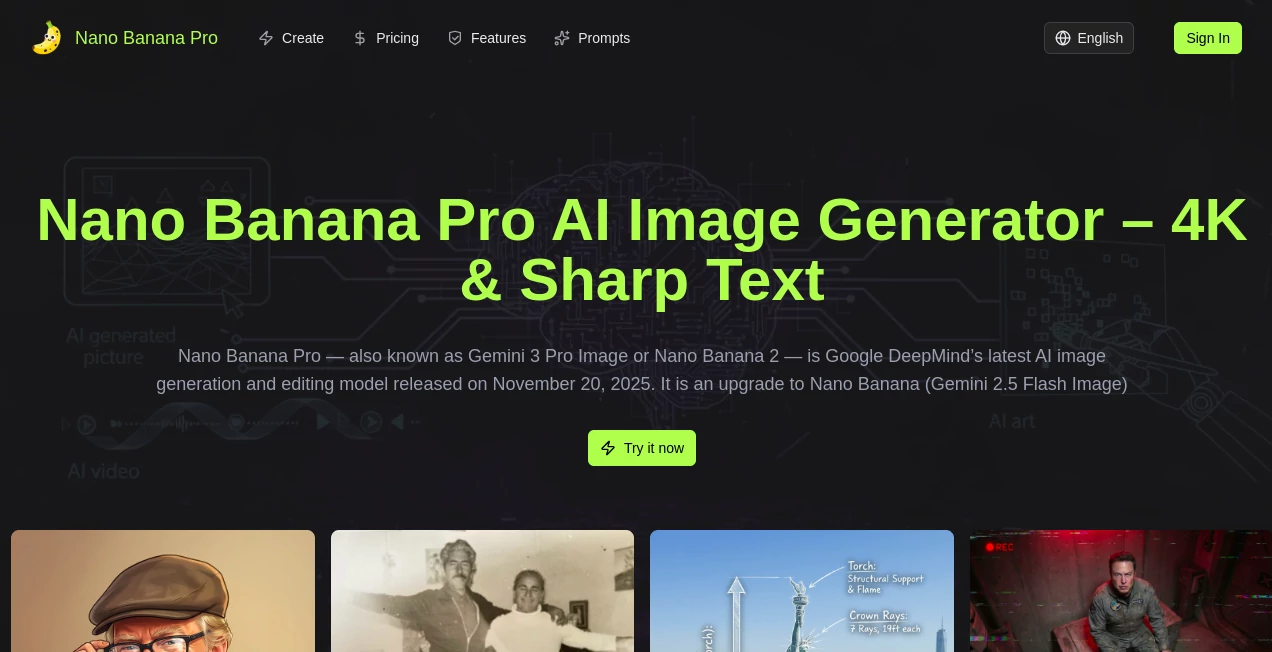
What is Nano Banana Pro?
Nano Banana 2 slips into the workflow of creators like a trusted sketchpad, transforming casual descriptions into polished visuals that capture the exact mood you had in mind. This update brings sharper edges to the process, letting you layer in details from multiple angles without losing the thread. Folks who've switched over often mention how it turns a rough afternoon brainstorm into something ready for the wall, all while keeping things light and intuitive enough for anyone to pick up.
Introduction
Nano Banana 2 picked up where the first version left off, evolving from those early experiments where simple prompts started yielding surprisingly lifelike results. It drew from real-world tweaks suggested by users who wanted more control over how elements stacked up in a scene, and soon enough, it was handling everything from quick mood sketches to full-blown concepts that held their own in client meetings. Over the past year, it's built a quiet following among designers and hobbyists alike, with stories circulating about how it nailed a tricky lighting setup on the first try, saving hours that would have gone into manual fixes. What keeps it fresh is that balance—enough smarts to anticipate what you're after, but never so much that it feels like it's calling the shots.
Key Features
User Interface
The dashboard opens up clean, with a central spot for your thoughts and a sidebar that slips in options as you type, like picking a base image or dialing in the focus. Results show up in a tiled view you can swipe through, each one popping with a quick preview that lets you zoom without loading screens. It's the kind of setup that rewards a second look, with subtle guides that nudge you toward better phrasing if things get fuzzy, all without cluttering the creative space.
Accuracy & Performance
When you describe a scene with overlapping pieces—like figures in a crowd—it sorts them out with a steadiness that feels almost thoughtful, holding onto the little connections that make the whole thing click. Turnarounds stay snappy, often wrapping in under ten seconds even for layered requests, so you can iterate without the wait killing your groove. Those who've run it through real tests point out how it keeps faces and forms consistent across versions, dodging the odd shifts that used to throw off the flow.
Capabilities
It goes beyond flat generations, letting you blend up to a dozen references into something new, or tweak specific spots with plain talk like "shift the light to the left." Outputs hit high marks in clarity, weaving in sharp writings or textures that stay true across scales, from small icons to wide banners. The real draw is in the chaining—start with a rough outline, then build on it step by step, opening doors for everything from quick thumbnails to detailed spreads that feel pieced together just right.
Security & Privacy
Your uploads and drafts get wrapped in standard protections right from the start, processed on the fly and cleared once you're done, with no extras hanging around. You hold the keys on what gets saved or shared, making it easy to keep sensitive concepts under wraps during early stages. It's that straightforward safeguard that lets teams dive in without the usual back-and-forth about where files end up.
Use Cases
Ad teams use it to spin up campaign mocks that match brand vibes spot-on, testing taglines in context before the big spend. Illustrators layer character sheets from scattered sketches, ensuring every pose ties back without redrawing from scratch. Event planners craft invites with custom scenes that pull in venue details, turning flat flyers into something immersive. Even educators whip up visual aids for lessons, blending facts with fitting backdrops to make points stick longer.
Pros and Cons
Pros:
- Holds steady on repeated elements, like faces in a series.
- Blends multiple inputs smoothly for richer results.
- Keeps speeds high without skimping on fine points.
- Handles everyday lingo, no fancy terms required.
Cons:
- Busier prompts can sometimes need a trim for best hits.
- Free runs cap out quick for heavy daily use.
- Less wiggle room for mid-generation changes.
Pricing Plans
It starts with a no-cost entry that covers a few tries to get the feel, ideal for one-offs or testing ideas. From there, monthly options kick in around the mid-teens for steady access, scaling up for unlimited pulls and team shares without breaking the bank. The tiers flex with your rhythm, tossing in extras like higher resolutions as you go, all with easy outs if it doesn't fit.
How to Use Nano Banana 2
Drop into the main area with your initial spark, maybe uploading a starter pic or just spelling out the scene. Let it run a pass, then pick a favorite and layer on tweaks—like "add a crowd in the back." Cycle through the variants, snag the sharpest in your go-to format, and slot it into your project. It's a loop that builds quick, turning singles into sets over a coffee break.
Comparison with Similar Tools
Against setups that rush but rough it up, Nano Banana 2 adds that extra layer of grasp for outputs that last, though those might pull ahead on sheer volume for bulk jobs. Where bigger platforms pile on features that overwhelm, this one trims to the essentials, skipping the noise but maybe missing some niche add-ons. It strikes right for balanced creators who want quality without the quiz every time.
Conclusion
Nano Banana 2 quietly elevates the act of visualizing thoughts, handing over tools that feel like an extension of your own hand. It turns the scattered sparks of inspiration into something solid and shareable, proving that a bit more nuance can make all the difference in the final frame. As creative demands keep stacking up, this one's poised to stay a step ahead, fostering visuals that not only meet the brief but quietly exceed it.
Frequently Asked Questions (FAQ)
How many images can I mix in at once?
Up to a dozen references blend in without a hitch.
Does it work with everyday descriptions?
Yes, plain talk gets you far—it's built for that.
What's the max output size?
Hits up to four times the standard sharp, ready for big uses.
Can I use it for work projects?
Absolutely, with rights that cover commercial corners.
How fast is a full run?
Often under ten seconds, keeping the ideas flowing.
AI Text to Image , AI Photo & Image Generator , AI Art Generator , AI Design Generator .
These classifications represent its core capabilities and areas of application. For related tools, explore the linked categories above.
Nano Banana Pro details
This tool is no longer available on submitaitools.org; find alternatives on Alternative to Nano Banana Pro.
Pricing
- Free
Apps
- Web Tools
Categories

Nano Banana Pro Alternatives Product
4o Image Gen

claude image

Tryonr

insMind

Seedream 4.5

Z Image Turbo

MuseArt AI
Pixfy AI
SeeDream 4.5