
🧠 AI Quiz
Think you really understand Artificial Intelligence?
Test yourself and see how well you know the world of AI.
Answer AI-related questions, compete with other users, and prove that
you’re among the best when it comes to AI knowledge.
Reach the top of our leaderboard.

















Nano Banana Pro
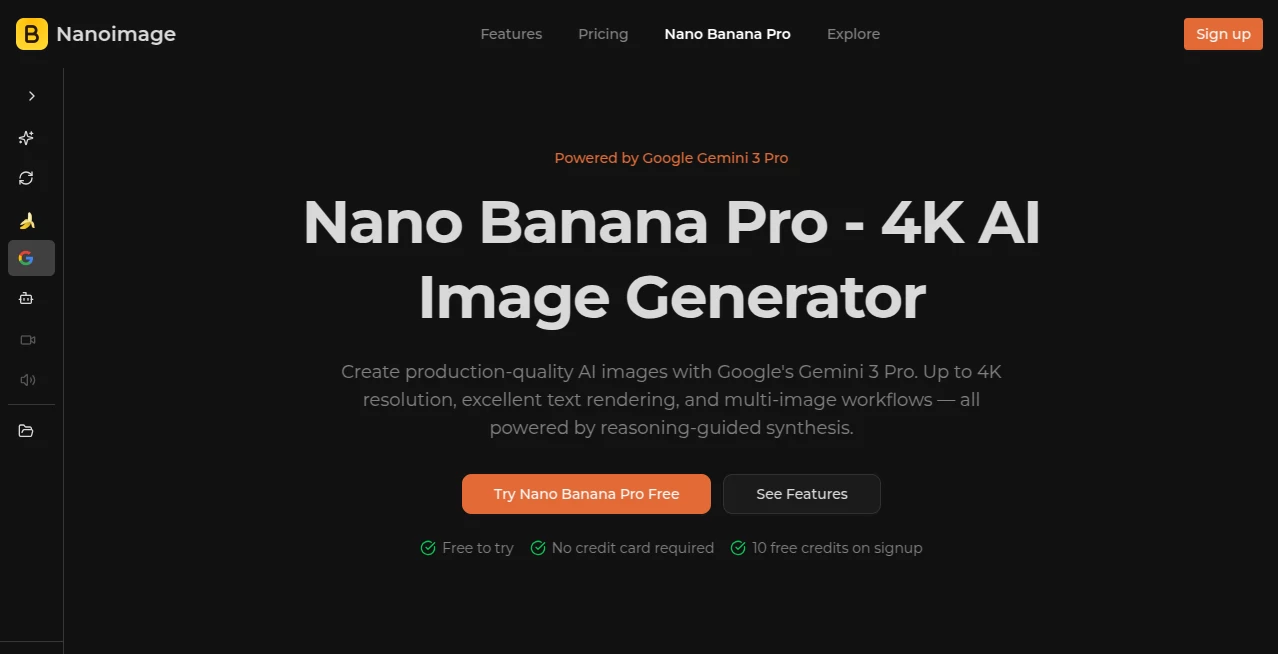
What is Nano Banana Pro?
I've lost count of how many times I've stared at a blank canvas or a half-finished photo edit, wishing there was a way to just describe what I wanted and have it appear exactly like that. Then I stumbled onto this, and suddenly those moments are gone. It feels almost unfair how quickly it turns vague ideas into crisp, professional visuals—whether I'm mocking up a quick ad or tinkering with a personal illustration. The results have this effortless quality that makes you forget you're working with AI at all.
Introduction
What sets this apart is how it handles the messy, real-world prompts we actually throw at it—long sentences, specific styles, tricky compositions—and still delivers something that looks thoughtfully crafted. I remember feeding it a rambling description of a cozy bookstore scene with warm lighting and floating dust motes, expecting a decent approximation at best. Instead, it handed back a frame that could easily sit on a book cover. It's the kind of reliability that builds trust fast, especially when you're on a deadline or just experimenting late at night. No more settling for "close enough"—this one pushes for the exact vibe you're chasing.
Key Features
User Interface
The dashboard greets you like an old friend—simple prompt box up front, drag-and-drop for references, and a handful of sliders that don't overwhelm. You can jump between text-to-image and edit modes without digging through menus, and the preview refreshes so smoothly you barely notice the wait. I've had sessions where I lost track of time just iterating on small tweaks, because every change felt responsive and immediate.
Accuracy & Performance
It reads between the lines in a way that's almost spooky—picking up on subtle mood cues or layout intentions that other generators miss. Even with dense prompts full of conflicting details, it rarely fumbles the core idea. Speed-wise, it's generous; generations come back quick enough that you stay in the creative flow instead of tapping your foot. And the consistency? Characters and objects hold their look across multiple images, which is a godsend for anything sequential.
Capabilities
Beyond straightforward generation, it shines in editing—upload a photo and nudge lighting, remove distractions, or shift the whole style while keeping the subject intact. Infographics with tiny text come out legible, comics keep character designs locked in, and UI mockups feel like real app screens. It's versatile enough that one day I'm building a vintage poster, the next I'm mocking up a product shot that looks straight out of a catalog.
Security & Privacy
Your work stays yours—private storage options mean nothing leaks, and there's no lingering data hanging around. It's reassuring when you're playing with client concepts or personal projects that you don't want floating out there. The whole setup feels thoughtful, like they actually care about keeping things under wraps.
Use Cases
Freelance designers use it to whip up client mood boards in half the usual time, iterating on colors and compositions without starting from scratch every time. Content creators crank out social graphics with perfect text overlays that read sharp even on mobile. Small business owners mock up packaging or ads that look like they came from an agency. I've even seen writers pair it with their drafts to visualize scenes before committing words to page—it's that flexible.
Pros and Cons
Pros:
- Handles complex, wordy prompts without losing the thread.
- Text rendering is crisp and natural—finally, legible signs and labels.
- Editing tools feel precise, not hit-or-miss.
- Generous free entry point that actually lets you create something worthwhile.
Cons:
- Longer prompts can push generation time a bit.
- Free tier limits kick in after a few good runs.
Pricing Plans
You get a handful of free credits right off the bat—no card needed—which is enough to really test the waters and see the quality for yourself. After that, plans step up affordably: basic tiers around $16/month for steady use, pro options at $20 for priority speed and more volume, and higher ones for teams or heavy workflows. Yearly discounts make it even friendlier, and the credit system means you only pay for what you actually create—no waste.
How to Use NanoImage
Head to the main page, type or paste your description in the prompt box—be as detailed as you like. Drop in a reference image if you have one, pick your resolution, and hit generate. The first result usually surprises you; from there, tweak the prompt or use edit mode to refine. Download in high-res when you're happy. I like starting with a rough idea, generating a few variations, then zeroing in on the best one for small adjustments—it's addictive how fast the loop feels.
Comparison with Similar Tools
Plenty of generators out there promise speed or style variety, but few match this one's balance of quality and control. Where some churn out pretty but generic results, this one listens closely to every detail. It stands out especially on text-heavy work and precise edits—tasks that trip up most competitors. If you're tired of settling for "almost there," this feels like the upgrade you've been quietly waiting for.
Conclusion
Every now and then a tool comes along that makes you wonder how you managed before. This is one of those—quietly powerful, surprisingly intuitive, and always ready to surprise you with what it can pull off. Whether you're a designer racing deadlines or just someone who likes playing with visuals, it opens doors you didn't even know were there. Give it a spin; the first image might just change how you think about creating.
Frequently Asked Questions (FAQ)
How good is the text rendering really?
It's one of the best out there—crisp even in small fonts or dense layouts, no more blurry gibberish.
Can I edit existing images?
Yes, upload and tweak styles, remove objects, or adjust lighting with solid results.
What about commercial use?
Paid plans include commercial rights—no worries for client work or products.
How many free tries do I get?
10 credits on signup, enough for a few solid images to see the quality.
Is it fast enough for real workflows?
Most generations are quick; pro plans bump you to priority for even faster turns.
AI Text to Image , AI Photo & Image Generator , AI Design Generator , AI Graphic Design .
These classifications represent its core capabilities and areas of application. For related tools, explore the linked categories above.
Nano Banana Pro details
Pricing
- Free
Apps
- Web Tools
Categories

Nano Banana Pro Alternatives Product

Pixelied

Nano Banana …
AI Best
Nano Banana …

Nano Banana …

Leonardo.ai
genie3
Free AI Kiss…

VIGGLE
