🧠 AI Quiz
Think you really understand Artificial Intelligence?
Test yourself and see how well you know the world of AI.
Answer AI-related questions, compete with other users, and prove that
you’re among the best when it comes to AI knowledge.
Reach the top of our leaderboard.


















Normal Map Generator Online
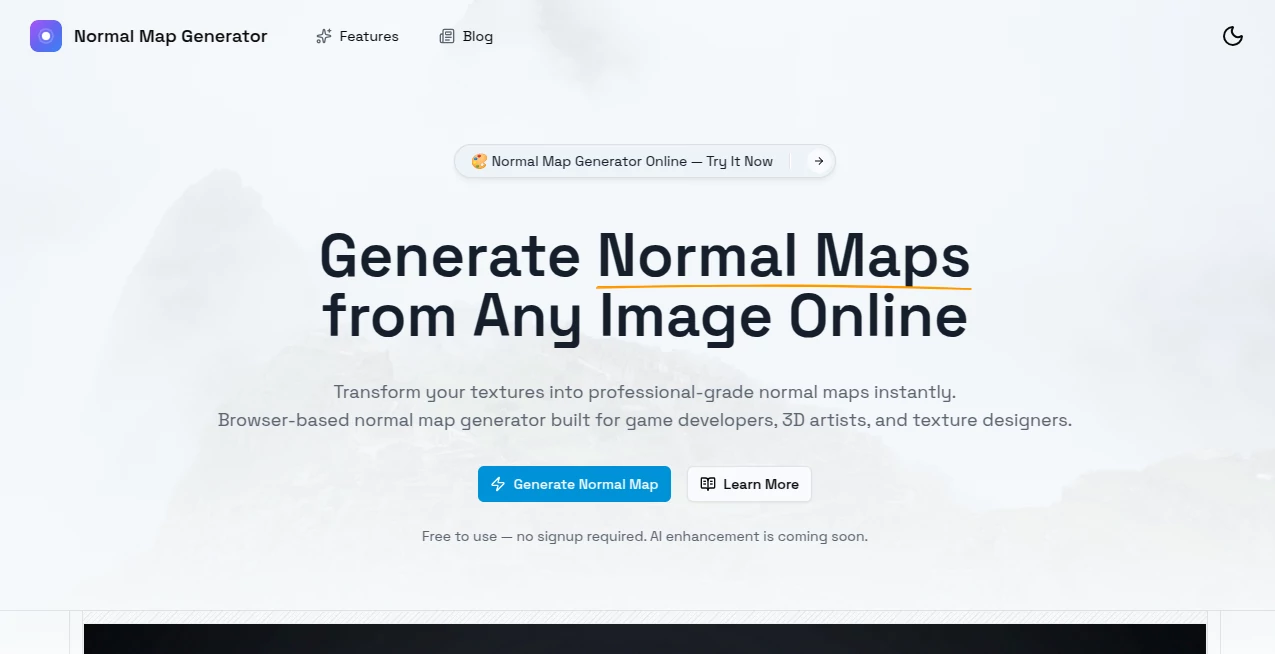
What is Normal Map Generator Online?
There's a certain satisfaction when a flat texture suddenly gains believable depth and lighting without you having to sculpt a single vertex. This tool does precisely that: feed it a photo—any photo—and it hands back a clean, high-quality normal map ready for Unity, Unreal, Blender, or Godot. No baking setups, no high-poly modeling, no hours of tweaking sliders. Just upload, generate, download. I've watched indie game devs go from "I wish I had normal maps" to "these look pro" in under a minute. The results often surprise even people who’ve spent years hand-crafting them the old way.
Introduction
Normal maps are one of those quiet necessities in 3D art: they bring low-poly models to life without adding polygons. But creating them traditionally requires either a high-poly sculpt or a lot of manual painting. This platform removes both hurdles. Upload a diffuse/color map (or even a random photo), choose your intensity and style, and get a usable normal map seconds later. It’s become a favorite among solo devs, asset creators, and hobbyists who want professional-looking surfaces fast. The magic lies in how naturally it interprets edges, bumps, and surface detail—turning everyday images into convincing 3D-ready textures without the usual artifacts or over-baking.
Key Features
User Interface
The page is refreshingly clean: a large drop zone, a few straightforward sliders for strength and detail level, a style dropdown (realistic, stylized, hand-painted, etc.), and a big "Generate" button. Previews appear almost instantly so you can compare and tweak before committing. No login walls, no cluttered panels—just focused controls that respect your time. It feels like the tool was built by someone who actually makes games and hates wasting minutes on setup.
Accuracy & Performance
It reads surface detail intelligently—picks up subtle fabric weave, brick mortar, wood grain, skin pores—without hallucinating fake bumps where none exist. Strength control is precise; you can go from subtle realism to bold stylized normals without the map turning into noise soup. Generation is fast (usually 3–12 seconds depending on resolution), and outputs are clean at 2K and 4K. The consistency across photo types is impressive—works on product shots, nature textures, painted concepts, even photos of real-world objects.
Capabilities
Converts diffuse/color images into high-quality normal maps, offers multiple styles (photoreal, stylized, hand-painted, PBR-ready), adjustable strength and detail, height-map generation as bonus output, batch processing on paid plans, and direct download in PNG/TGA formats. It understands both organic and hard-surface subjects, making it equally useful for characters, environments, props, and architecture. The results integrate seamlessly into major engines and renderers—no cleanup required in most cases.
Security & Privacy
Uploads are processed ephemerally—nothing is stored on servers after you download. No account required for basic use, so your textures never get tied to a profile unless you choose to sign up for batch/history features. For asset creators handling client work or proprietary designs, that zero-retention approach is a genuine comfort.
Use Cases
An indie dev photographs real bricks for a wall texture, generates normals in seconds, and has a convincing PBR material ready for Unreal. A 3D artist turns a hand-painted concept into a normal map to test how it reads in-engine before committing to sculpting. A prop maker uses phone photos of found objects (rusty metal, worn leather) to quickly prototype game-ready surfaces. A texture artist batch-generates normals for dozens of scanned materials, saving days of manual work. Wherever you need believable depth fast, it quietly saves hours.
Pros and Cons
Pros:
- Results look hand-authored—natural falloff, believable depth, no obvious AI artifacts.
- Extremely fast turnaround keeps creative flow alive.
- Multiple styles let you match your game's art direction perfectly.
- High-res outputs ready for production without upscaling tricks.
- Free tier is generous—no hard paywall to test real assets.
Cons:
- Very flat or low-contrast source images may produce weaker normals (garbage in, garbage out).
- Batch processing and unlimited use sit behind paid plans.
- Advanced PBR channels (roughness, metalness) require separate tools.
Pricing Plans
Free tier offers several high-quality generations per day—enough for prototyping, testing, or small projects. Paid plans remove limits, unlock batch mode, higher resolutions, priority queue, and commercial-use rights without attribution. Pricing is modest—many solo devs say one month covers what they used to spend on stock texture packs or freelance texture artists for a single game.
How to Use Normal Map Generator
Drag your diffuse/color image into the upload area (or click to browse). Choose style (realistic, stylized, etc.) and adjust strength/detail sliders to taste. Hit generate—watch the preview appear in seconds. Tweak sliders or try another style if needed, then download the normal map (and optional height map) in PNG or TGA. For larger workflows, paid users can upload multiple images at once and process in batch. Done—usable texture in under a minute.
Comparison with Similar Tools
Older normal-map generators often produce noisy or overly exaggerated results that need heavy cleanup. This one delivers cleaner, more natural depth with better edge handling and style control. Where some tools force you into one look, the variety here matches everything from photoreal to stylized games. Speed, quality, and ease of use put it ahead of most free and even some paid alternatives.
Conclusion
Normal maps shouldn’t be a bottleneck in 3D art—they should be a quick, reliable step that lets you focus on the fun parts: lighting, composition, gameplay feel. This tool turns that step into something almost enjoyable. It gives indie devs, hobbyists, and pros alike the ability to create convincing surfaces fast, without sacrificing quality or style. When your low-poly model suddenly looks rich and detailed after one upload, you realize how much creative time this simple shortcut unlocks. For anyone building worlds, that’s worth its weight in gold.
Frequently Asked Questions (FAQ)
How many free generations do I get?
Several high-quality ones per day—enough to experiment and build a small texture set.
What kind of source images work best?
Clear diffuse/color maps with good lighting and contrast; photos of real materials also work beautifully.
Can I use these commercially?
Yes—paid plans include full commercial rights; free tier allows personal & non-commercial use.
Do I get height maps too?
Yes—most generations include a displacement/height map as bonus output.
Will it work for stylized/cartoon art?
Absolutely—one of the style presets is tuned specifically for hand-painted/cartoon looks.
AI 3D Model Generator , Photo & Image Editor , AI Design Generator , AI Image to Image .
These classifications represent its core capabilities and areas of application. For related tools, explore the linked categories above.
Normal Map Generator Online details
Pricing
- Free
Apps
- Web Tools
Categories

Normal Map Generator Online Alternatives Product

Pixelied

SAM 3D

Photo Locati…

GenPPT AI

Luma AI
Pixel Art Vi…

Nano Banana …
world

Just Christm…