


















OpenClaw Hub
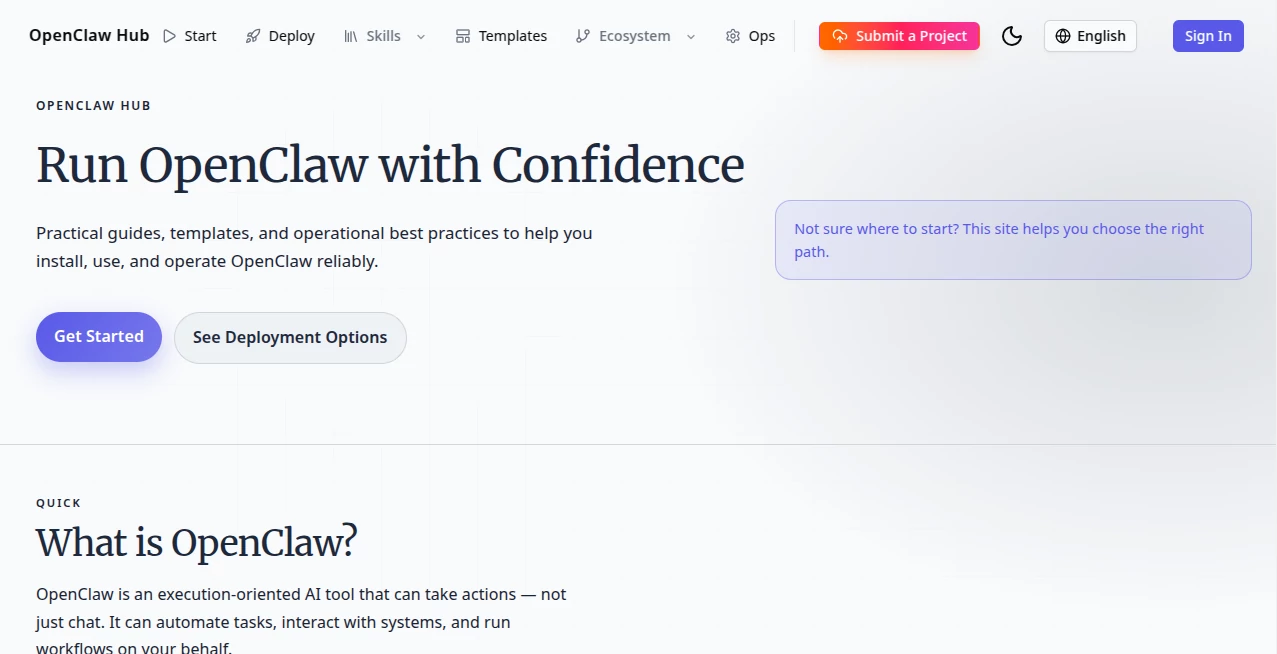
What is OpenClaw Hub?
Let’s face it—most of us are drowning in repetitive tasks. From managing customer chats across six platforms to digging through spreadsheets, the work never really ends. That’s where this platform comes into play, and honestly, it’s a breath of fresh air. It is designed to bridge the gap between simple chat bots and a fully functional digital workforce. Instead of just answering questions, it takes action. Think of it as the central brain that connects all your favorite apps—Shopify, Google Ads, Ahrefs, and even your email—allowing you to control everything through natural conversation.
I’ve been testing automation tools for years, and the problem is usually the same: they save you time but cost a fortune, or they require a developer on speed dial. This ecosystem changes the game by using "Skills." These are essentially plug-and-play apps for your AI that handle specific jobs. Whether you are a solopreneur staying up until 2 AM to pack orders or a marketer juggling ten social accounts, this tool feels like hiring a proactive assistant who never sleeps.
Key Features
What makes this platform stand out is how deeply it integrates with the tools you already use. It doesn't just generate text; it executes commands. You can ask it to check your inventory levels, draft a response to a negative review, and then post a new product teaser on Instagram—all from one chat window. The core magic lies in the growing library of community-driven skills.
User Interface
The interface is surprisingly minimalist. Unlike bloated enterprise software, you are mostly looking at a clean chat window. However, the real control panel is in the "Skills Hub." Navigating it feels familiar if you’ve ever used an app store. You can search for specific functionalities, read short descriptions of what the skill does, and install it with a single command. The dashboard gives you a clear overview of which skills are active and which apps have access to your data. There is zero clutter, which I really appreciate when I am trying to focus on deep work.
Accuracy & Performance
This is where things get interesting. Performance heavily depends on the specific Skill you install and the AI model you connect in the background. When connected to a top-tier reasoning model, the execution accuracy is startlingly good. For example, using the Shopify management skill, I asked it to "find all products with inventory under 20 units and create a discount code for them." It parsed the sentence perfectly, queried the database, and executed the API calls without a hitch.
However, it’s not magic. Complex tasks with vague instructions can sometimes confuse the router. If you ask it to "fix the marketing," it will struggle because that’s too broad. But if you define the task clearly—"compare our last two email campaigns and draft a new subject line based on winners"—it nails it almost every time.
Capabilities
The capabilities are essentially limitless because of the open ecosystem. Right now, you can automate logistics by comparing shipping rates with Atoship, generate product images on the fly with Recraft AI, or analyze competitor ASINs on Amazon using specific analyzer skills. For content teams, the Ahrefs SEO suite integration lets you ask for keyword rankings and backlink data without logging into the dashboard. It can even handle "Jobs To Be Done" analysis by scraping customer reviews to tell you what buyers actually want. The platform shines in e-commerce, digital marketing, and personal knowledge management.
Security & Privacy
Let’s talk about the elephant in the room: safety. Because this is an open ecosystem, you are essentially downloading community code. The platform itself provides the cage, but you have to check the animal. The developers have implemented a crucial safety net called Skill-Vetter. Before you install any random skill from the hub, you run this security scanner. It checks the skill's code for suspicious behavior, like trying to access sensitive files on your hard drive or sending data to unknown servers. I highly recommend never skipping this step. If you stick to verified or highly-downloaded skills and always run the Vetter, the risk is minimal. For businesses, the best practice is to host your own private skill registry to keep proprietary logic internal.
Use Cases
I’ve seen this tool used in three distinct ways that genuinely save hours each week.
The first is E-commerce Management. One seller I know uses the Clawpify skill to handle his Shopify store. When a customer complains about a lost package, his support team just asks the AI to check the tracking number via Atoship and draft a refund email. That process used to take 5 minutes; now it takes 15 seconds.
The second is Content Repurposing. Marketers are using Adaptlypost to turn one blog post into a Twitter thread, a LinkedIn article, and a TikTok script. You just feed it the raw material and say, "Rewrite this for Instagram, keep it casual, and add three relevant hashtags." It handles the tone shifting perfectly.
Finally, Lead Generation is a huge win. Using the Apify integration, you can ask the AI to scrape Google Maps for "coffee roasters in Chicago," clean the data, and export it to a CSV. It turns a tedious three-hour task into a quick coffee break.
Pros and Cons
Pros:
- Huge Time Saver: Automates workflows that usually require switching between 5-10 different tabs.
- Cost Effective: The core software is open source. You only pay for API keys (OpenAI/Anthropic) and optional cloud hosting.
- Community Driven: Thousands of skills available right now. If you need a tool, someone has probably built a skill for it.
- Local-First: You can run it entirely on your own computer, keeping sensitive financial or legal data private.
Cons:
- Security Caution Required: The open marketplace is a double-edged sword. You must actively audit skills for malware or data leaks.
- Setup Learning Curve: This is not a "download and go" app for grandma. You need to understand API keys and basic command line to get the best results.
- Resource Heavy: Running a local instance with many skills can eat up RAM and CPU power on older laptops.
Pricing Plans
The financial structure is refreshingly transparent. The OpenClaw core engine is completely free and open source. You can install it on your own computer or a cloud server without paying the developers a cent.
Where you spend money is on the AI models (API credits for ChatGPT or Claude) and hosting (if you use a cloud service like Digital Ocean). Some premium skills on the hub might ask for a subscription or API key to their own service, but thousands of essential skills are free. There are also community "Pro" tiers for specific complex skills, like the Smart Router which costs about 0.5 USDT/month but saves you 30-50% on model costs by automatically choosing cheaper models for simple tasks.
How to Use OpenClaw Skills
Getting started is easier than it sounds. First, you need to have the core engine running on your machine (they provide one-line installers for Mac and Windows). Once the terminal says you are online, you head to the ClawHub. To install a skill, you simply type a command like: "Install the Ahrefs SEO skill for me."
The AI will fetch the package. But before you hit enter, always run the security vetting skill first: "Run skill-vetter on the last package I added." It will spit out a safety score. If it passes, you confirm the installation. After that, the skill is live. You can immediately start giving commands like "Check the keyword ranking for 'buy leather shoes' using my Ahrefs key." That is literally the whole flow: Find, Vette, Install, Ask.
Comparison with Similar Tools
Compared to Zapier or Make, this tool is less about "if-this-then-that" logic and more about conversational AI. Zapier is great for moving data between apps, but it struggles with nuance. OpenClaw uses an LLM to understand intent, meaning it can handle "do this but only if the customer sounds angry."
Compared to AutoGPT or BabyAGI, this platform is far more stable and user-friendly. Those agents often get stuck in loops thinking "I will think about what to think about." OpenClaw is grounded in specific skills, so it knows exactly what actions it can take. The main competitor is just doing the work manually, but frankly, once you automate your first inventory report, you never want to go back.
Conclusion
This isn't just another AI wrapper. It is a functional operating system for automation. Is it perfect? No. The security risks require you to stay vigilant, and the setup requires a bit of technical courage. However, for the digital marketer, the small business owner, or the power user who hates repetitive clicks, the ROI is undeniable. It takes the raw power of large language models and gives them hands and feet to actually interact with your digital world. If you are tired of doing the same things over and over again, give this ecosystem a weekend of your time. It might just change the way you work forever.
Frequently Asked Questions (FAQ)
Q: Do I need to know how to code to use this?
A: Not really. You need to be comfortable copying and pasting commands into a terminal (like Command Prompt or Terminal). You do not need to write code, but you need to be able to follow basic text instructions for setup.
Q: Is it safe to install skills from the hub?
A: It can be, but you must be careful. Always install the "Skill-Vetter" safety tool first and use it to scan any skill before you run it. Avoid skills with very few downloads or sketchy names.
Q: Can it write full blog posts for me?
A: Yes, but you will need a writing skill or just connect it to a good model like GPT-4. However, the real strength isn't just writing; it is researching (via web skills), writing, and then posting that blog to WordPress all in one chain.
Q: Why does it keep asking me for API keys?
A: Because the core software is free. It doesn't come with its own brain. You have to bring your own API key from OpenAI, Anthropic (Claude), or Groq to pay for the "thinking" part of the AI. Think of it like buying gas for a car you got for free.
AI Workflow Management , AI No-Code & Low-Code , AI Productivity Tools , AI Developer Tools .
These classifications represent its core capabilities and areas of application. For related tools, explore the linked categories above.

OpenClaw Hub Alternatives Product

Youfiliate

langextract.…

Solovio

Lovable APP

AgentOne

Trimless for…

AntForms

VercelAPP

You.bot
