Schemity
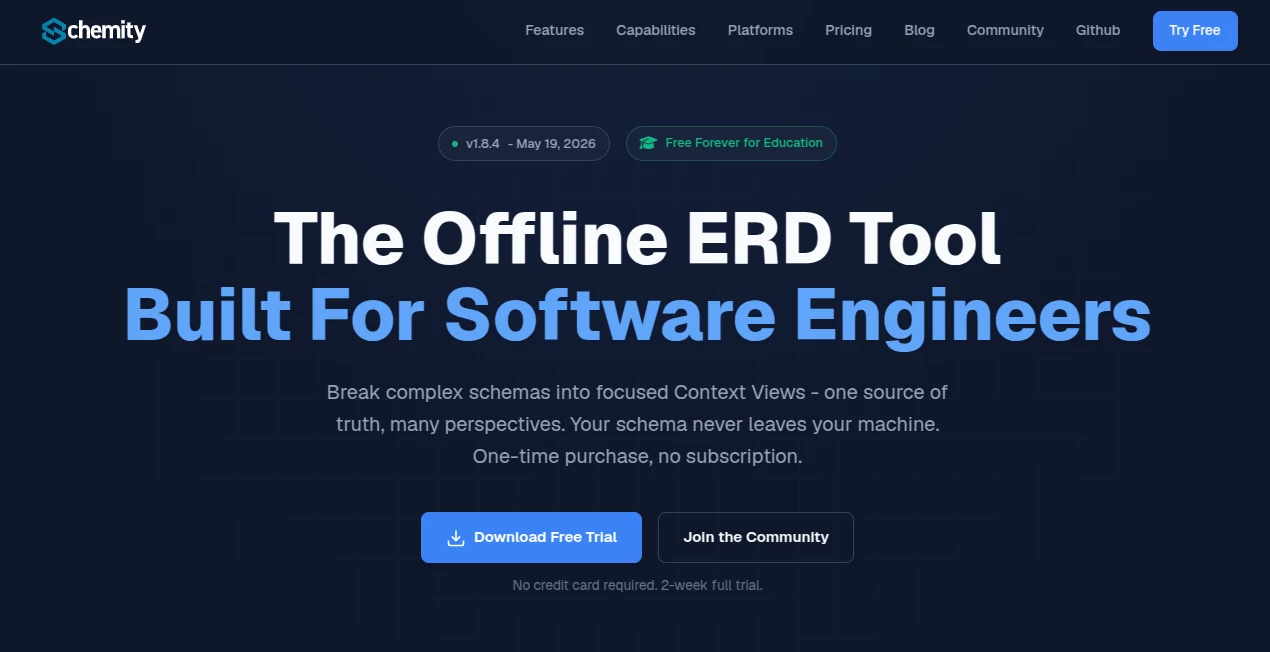
What is Schemity?
Most ERD tools feel like they were designed for presentations rather than real engineering work. You fight the layout, pray the relationships stay readable, and hope your team can actually understand the mess on screen. Schemity feels different. It’s a fast, local desktop tool that respects how engineers actually think—keeping one source of truth while letting you create focused views for different parts of the system. No cloud, no subscriptions, just clean modeling that lives in your repo. I’ve watched teams go from chaotic giant diagrams to clear, maintainable models that people actually enjoy working with.
Introduction
Database schemas are the backbone of every serious application, yet documenting and evolving them often feels painful. Cloud tools raise security concerns for client work, while many desktop options feel outdated or overly rigid. Schemity solves this by being completely local-first and Git-native. Your entire ERD lives as simple JSON files in your project folder—easy to version control, review in pull requests, and share without ever sending sensitive schema details to a third-party server. It’s built for engineers who need speed, clarity, and control, especially on complex databases with many interconnected systems.
Key Features
User Interface
The interface is refreshingly focused. Drag-and-drop relationships feel natural, entities resize intelligently, and everything stays responsive even on large schemas. Tabs let you switch between different systems quickly, and the layout tools (smart routing, custom waypoints) help you arrange diagrams the way your brain actually sees the domain. Dark mode, clean typography, and thoughtful defaults mean you spend time modeling instead of fighting the software.
Accuracy & Performance
It handles real-world complexity gracefully—hundreds of tables don’t slow it down, relationships stay visually clear, and changes are reflected instantly. The migration diff feature shows exactly what SQL will run before you apply it, reducing those “oops” moments. Reverse engineering from live databases or SQL dumps is accurate and fast, giving you a trustworthy starting point every time.
Capabilities
Full support for PostgreSQL, MySQL, SQL Server and more. You get smart relationship creation (1:1, 1:N, N:N with auto junction tables), check constraints, composite unique keys, context views for different system perspectives, AI assistance (bring your own key), import from SQL, and safe migration workflows. Everything stays offline and local, making it perfect for air-gapped environments or sensitive projects.
Security & Privacy
Your schema never leaves your machine. No cloud sync, no third-party servers holding your data. It’s explicitly built for NDA work, corporate environments, and compliance-sensitive projects. The fact that it stores almost nothing on their end makes audits and security reviews much simpler.
Use Cases
A backend team reverse engineers a sprawling production database and breaks it into focused context views for auth, billing, and analytics—making onboarding new developers dramatically faster. An indie developer keeps their schema in Git alongside the code, generating clean migration diffs before every deploy. A consulting firm documents client databases locally without ever uploading sensitive structures. Architecture teams use the AI assistant to brainstorm new entities and relationships while staying fully offline. It shines anywhere clarity and control over database design matter more than flashy cloud features.
Pros and Cons
Pros:
- Completely local and Git-native—your data stays yours.
- Context views turn one giant schema into multiple focused perspectives.
- Excellent performance even on large, complex databases.
- Thoughtful details like smart line routing and check constraint support.
- One-time purchase model with a generous trial—no subscription stress.
Cons:
- Desktop-only (no web version for quick browser access).
- Learning the full power of context views takes a short adjustment period.
- AI features require your own API key (which is actually a privacy win for many).
Pricing Plans
It uses a straightforward one-time purchase model with a free 2-week trial. The price point is reasonable for professional software engineers and teams who value ownership and privacy over recurring subscriptions. No per-seat drama or surprise renewals—just pay once and own the tool.
How to Use Schemity
Download and install (native apps for macOS, Windows, Linux). Create a new project or connect to your database to reverse engineer. Start adding entities and drag fields to create relationships. Use tabs for different systems and create context views for focused perspectives. When ready to evolve the schema, review the SQL migration diff, apply changes safely, and commit the JSON file to Git. The workflow feels natural once you get the rhythm of context views and local-first modeling.
Comparison with Similar Tools
Cloud ERD tools often feel risky for sensitive projects and add subscription costs. Traditional desktop tools can feel clunky and outdated. Schemity sits in a sweet spot: modern, fast, privacy-first, and built specifically for engineers who live in codebases. The combination of Git integration, context views, and strong offline performance makes it stand out from both heavy enterprise solutions and lighter free alternatives.
Conclusion
Good database design deserves a tool that respects your workflow, your privacy, and your time. Schemity delivers exactly that—clean modeling, powerful organization through context views, and the peace of mind that comes from knowing everything stays under your control. For teams and solo engineers who want clarity without compromise, it’s one of those tools that quickly becomes part of how you think about systems. If you’re tired of fighting your ERD tool, this one might finally feel like it’s on your side.
Frequently Asked Questions (FAQ)
Is it really completely offline?
Yes—core modeling works fully offline. AI features use your own API key directly.
Does it support my database?
Strong support for PostgreSQL, MySQL, SQL Server, and more via direct or SSH connections.
Can I version control my ERDs?
Absolutely—everything is stored as simple JSON files perfect for Git.
Is there a trial?
Yes, a full-featured 2-week trial with no credit card required.
AI Developer Docs , AI Developer Tools .
These classifications represent its core capabilities and areas of application. For related tools, explore the linked categories above.

Schemity Alternatives Product

Mythx AI

cznull

vivgrid

JSON to TOON…

Verne

Scillus

Mage Flow AI…
VercelAPP

globalize.now