
🧠 AI Quiz
Think you really understand Artificial Intelligence?
Test yourself and see how well you know the world of AI.
Answer AI-related questions, compete with other users, and prove that
you’re among the best when it comes to AI knowledge.
Reach the top of our leaderboard.


















Sketchflow AI

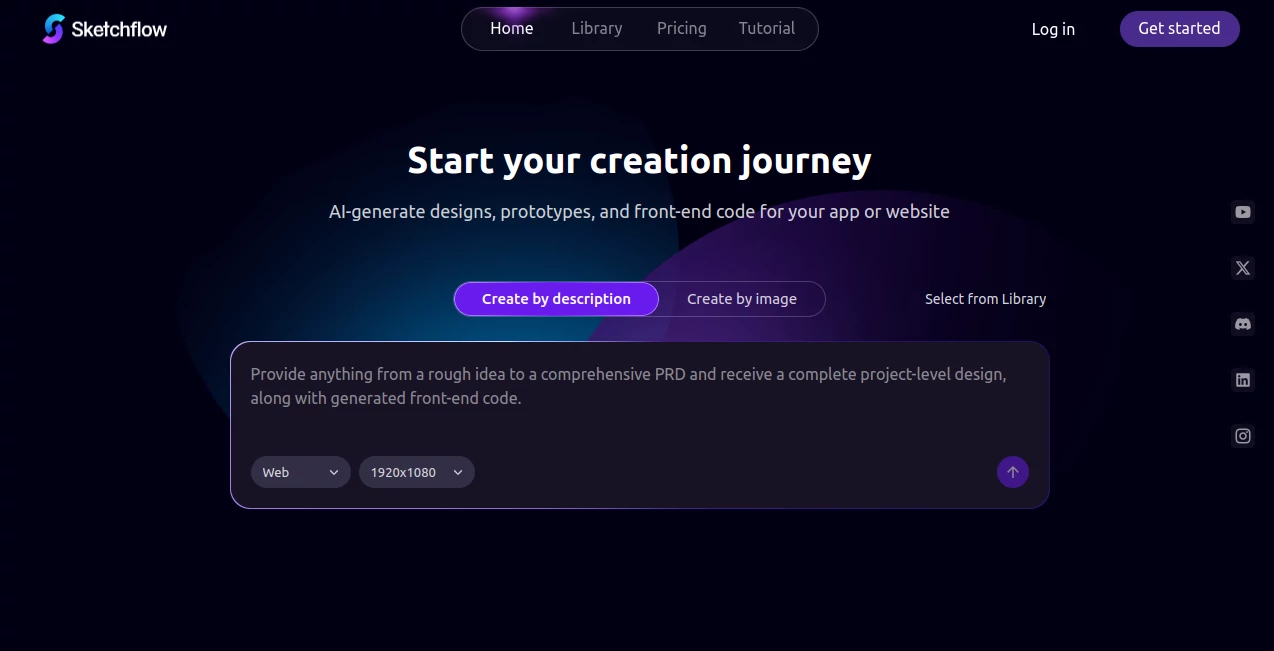
What is Sketchflow AI?
There's a real thrill in watching a vague idea for an app or website morph into a clickable prototype almost instantly, complete with smooth flows and polished screens that look like they took days. This tool delivers that rush, bridging the gap from brainstorm to interactive demo with an ease that's hard to beat. I've messed around with a few design aids, but the way this one handles multi-page layouts and spits out clean code had me rethinking my whole workflow—suddenly, solo projects feel doable in an afternoon.
Introduction
For anyone who's ever stared at a blank canvas wondering how to turn a concept into something tangible, this platform steps in as a thoughtful partner. It takes your descriptions—or even uploaded screenshots—and crafts full user journeys, stunning interfaces, and responsive designs across web, mobile, desktop, and tablet. What impresses most is the cohesion: pages connect logically, styles stay consistent, and you get a live preview that's fully interactive right away. A friend used it to prototype a client dashboard recently; from rough notes to a shareable demo in under an hour, and the feedback loop tightened dramatically. It's geared for speed without skimping on quality, making it a favorite for indie makers, teams iterating fast, or anyone tired of disconnected tools.
Key Features
User Interface
The workspace feels open and uncluttered, with a simple prompt area up top and a canvas that fills with your generated pages as you go. Switch between views effortlessly, tweak elements with intuitive drags, and watch changes reflect live—no lag or confusing layers. It's the sort of setup that invites experimentation; I found myself adding screens just to see how seamlessly they'd link, and the whole thing stayed responsive even on my laptop during a commute.
Accuracy & Performance
It grasps project vibes remarkably well, producing layouts that align with chosen styles like glassmorphism or skeuomorphic touches, often nailing the structure on the first try. Generations happen quick, multi-page flows included, and refinements iterate without slowing down. In one session, it turned a jumbled app idea into a coherent prototype that felt production-close, with transitions and responsiveness that surprised a developer buddy who peeked over my shoulder.
Capabilities
Core magic lies in creating end-to-end experiences: describe your product, upload refs for inspiration, and get editable designs with user flows baked in. Export front-end code in React, Swift, or Java flavors, simulate on devices via cloud, and collaborate on tweaks. Supports everything from responsive web to native mobile feels, with templates that adapt to light/dark modes or trendy aesthetics—versatile enough for MVPs or polished pitches.
Security & Privacy
Projects stay contained in your account, with sharing options you control fully, and no unnecessary data lingering beyond your sessions. It's reassuring for client work or personal ideas, knowing the backend handles things discreetly while you focus on building.
Use Cases
Solo founders sketch out app MVPs to validate ideas before coding a line, landing investor demos that wow. Agencies rapid-prototype client sites, cycling feedback faster than traditional mocks. Product teams map user journeys for new features, spotting flow issues early. Even educators build interactive examples for UI classes, showing students real-world iteration without the setup hassle.
Pros and Cons
Pros:
- Blends design, prototyping, and code export in one smooth ride.
- Multi-page coherence that saves endless manual linking.
- Image-to-design uploads for quick inspiration jumps.
- Interactive previews that bring ideas to life instantly.
Cons:
- Heavier custom tweaks might still need external editors.
- Mobile simulations evolving, not fully native yet.
Pricing Plans
A free entry lets you explore core generation and previews, ideal for testing concepts without commitment. Paid tiers unlock unlimited projects, advanced exports, and collaboration, scaling sensibly for individuals or teams—value that grows with your ambition, keeping the focus on creation rather than constraints.
How to Use Sketchflow
Start with a clear description of your app or site, select platform and style vibes, then let it generate the flow. Review the pages, refine prompts for adjustments, add interactions, and preview the clickable demo. When ready, export code or share the prototype link—simple loops that encourage bold experimentation.
Comparison with Similar Tools
Against static image generators or basic wireframers, this one stands out with full interactive prototypes and code handoffs that feel integrated. It's more holistic than single-page focus rivals, bridging design to dev smoother, though purists might pair it with specialized editors for ultra-fine polish. Overall, it carves a sweet spot for rapid, end-to-end ideation that speeds up the whole pipeline.
Conclusion
This platform captures the joy of quick creation, turning scattered thoughts into structured, shareable products that spark real progress. It's a catalyst for makers who want momentum without the muddle, proving smart assistance can amplify ideas beautifully. Give it a spin next time inspiration strikes—you might just build something worth launching before the day ends.
Frequently Asked Questions (FAQ)
Can I start from screenshots?
Yes, upload images to transform them into editable, flowing designs.
What code does it export?
Clean React for web, Swift for iOS, Java for Android—ready to build on.
Supports dark mode or custom styles?
Built-in templates cover trends like glass or skeuomorphic, adaptable to your taste.
How interactive are prototypes?
Fully clickable with transitions, perfect for user testing.
Team collaboration available?
Higher plans enable shared editing and feedback loops.
AI App Builder , AI Website Designer , AI Design Generator , AI Developer Tools .
These classifications represent its core capabilities and areas of application. For related tools, explore the linked categories above.
Sketchflow AI details
This tool is no longer available on submitaitools.org; find alternatives on Alternative to Sketchflow AI.
Pricing
- Free
Apps
- Web Tools
Categories

Sketchflow AI Alternatives Product

Just Christm…

AI Photo Edi…

PicLumen AI …

Thumbspick

Fine Image

Scillus

AILogoCreator

Image By Qwen

Z Image Turbo
