
🧠 AI Quiz
Think you really understand Artificial Intelligence?
Test yourself and see how well you know the world of AI.
Answer AI-related questions, compete with other users, and prove that
you’re among the best when it comes to AI knowledge.
Reach the top of our leaderboard.


















Sketchready
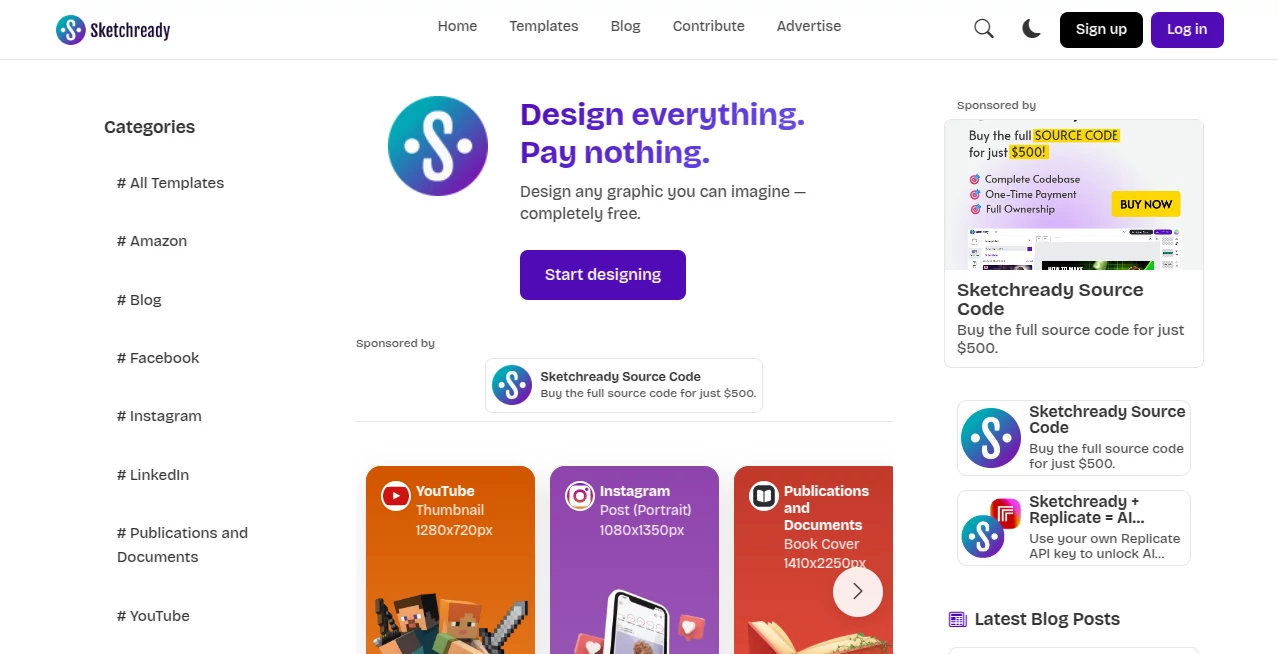
What is Sketchready?
There’s a special kind of frustration when you sketch something brilliant on paper or a tablet, but then spend hours trying to digitize it cleanly—fixing lines, balancing proportions, making it look professional. This tool quietly solves that pain point. You upload a quick hand-drawn sketch (even a messy napkin doodle), and seconds later you get a polished, vector-style version that looks like it came from a seasoned designer. I’ve watched illustrators and product folks go from “this is just a rough idea” to “this is ready for the client” without touching Illustrator or Figma. It’s one of those rare things that feels like it was made by someone who actually understands what creators really need.
Introduction
Most people who sketch ideas—designers, product managers, educators, indie game devs—hit the same wall: the jump from raw concept to usable asset is tedious. This platform removes that wall. It takes the soul of your sketch (the proportions, the flow, the key details) and turns it into clean line art, filled shapes, or even colored illustrations while keeping the personality intact. No heavy software, no tracing, no losing the spark of the original. It’s become a favorite for anyone who thinks best with a pen in hand but needs digital files that look sharp and professional. The results often feel more “you” than if you’d redrawn it manually—because it preserves the intent instead of forcing a generic polish.
Key Features
User Interface
Dead simple from the first second. Big drag-and-drop zone or click-to-upload button, a few style presets below (clean line, filled flat, shaded comic, watercolor vibe), and one prominent “Convert” button. Previews appear almost instantly so you can compare variations side-by-side. No login required for basic use, no cluttered sidebar. It’s the kind of interface that disappears—you notice the result, not the tool.
Accuracy & Performance
It reads sketches with surprising intelligence: captures the angle of a curve, the weight of a line, the important details you emphasized, while gently cleaning up shaky strokes and stray marks. Processing is fast—usually 3–12 seconds—and works reliably even on low-light phone photos of paper sketches. The output stays true to your proportions and composition; it doesn’t “AI-ify” the drawing into something generic. That fidelity is what makes people trust it for client work or portfolio pieces.
Capabilities
Converts hand-drawn sketches (paper or digital) into clean vector-like line art, flat-color illustrations, shaded designs, or stylized comic looks. Supports single objects, characters, UI mockups, logos, diagrams, and simple scenes. Outputs high-resolution PNGs and SVGs ready for Figma, print, web, or further editing. You can adjust exaggeration of details, line thickness, color palette, and background removal. It handles messy inputs better than most similar tools—coffee stains and crossed-out lines usually don’t ruin the result.
Security & Privacy
Images are processed momentarily and deleted from servers shortly after generation—no long-term storage unless you choose to save the result to your account. No mandatory sign-up for basic conversions. For freelancers and product teams sharing early concepts, that low-data footprint feels like a quiet reassurance.
Use Cases
A UX designer sketches a new dashboard layout on iPad, uploads it, gets clean vectors in minutes, and drops them straight into Figma for the team review. An indie game artist roughs out character concepts, turns them into polished sprites, and saves days of cleanup. A teacher draws quick diagrams for class, converts them to clear visuals, and shares them with students. A marketer sketches campaign ideas on paper during a brainstorming session, digitizes them instantly, and uses them in the pitch deck the same afternoon. It’s the bridge between “idea on paper” and “asset in production” that people didn’t know they were missing.
Pros and Cons
Pros:
- Preserves the soul and energy of your original sketch—doesn’t over-smooth or genericize it.
- Handles real-world messy inputs (phone photos of paper, shaky stylus lines) better than competitors.
- Multiple style options let you match the look you need—line art, flat color, comic shading, etc.
- Fast enough for real-time iteration during creative sessions.
- High-res SVG + PNG outputs integrate perfectly with design and dev workflows.
Cons:
- Very complex multi-object scenes can sometimes lose minor details (though it handles most well).
- Free tier limits daily generations; heavy users move to paid quickly.
- No built-in editing tools—you still need your favorite vector app for final tweaks.
Pricing Plans
Free tier gives you several high-quality conversions per day—enough to test seriously and fall in love with the results. Paid plans remove limits, unlock priority processing, higher resolutions, more style variations, and batch uploads. Pricing stays reasonable for the time it saves—many users say it pays for itself after one project where they avoided hours of manual tracing. Flexible enough for casual creators and daily professional use.
How to Use SketchReady
Snap or scan your sketch (paper or digital), upload it via drag-and-drop or file picker. Choose a style preset (clean line, comic, watercolor, etc.) or let it auto-detect. Adjust exaggeration or detail level if needed. Hit convert and watch the preview appear in seconds. Download the one you like best—or generate a few variations and pick. Copy the SVG into Figma/Illustrator or use the PNG for social/print. That’s usually under a minute from rough idea to usable asset.
Comparison with Similar Tools
Most sketch-to-digital tools either over-simplify (turning everything into generic cartoons) or require heavy manual cleanup afterward. This one strikes a rare balance: keeps the personality and proportions of your original drawing while delivering clean, usable results that feel ready for real work. Speed, style variety, and tolerance for messy inputs put it ahead of most free and even paid alternatives.
Conclusion
Sketching is where the best ideas are born—raw, fast, honest. The painful part has always been turning that raw energy into something shareable and professional. This tool removes that pain without killing the spark. It respects the hand-drawn origin while giving you assets that look and work like they came from a polished studio. For anyone who thinks best with pencil or stylus, it’s one of those rare tools that feels like it was made just for you.
Frequently Asked Questions (FAQ)
How messy can my sketch be?
Pretty messy—coffee stains, crossed-out lines, shaky strokes usually don’t ruin it. Cleaner input = crisper output, but it handles real-world sketches very well.
Does it support color sketches?
Yes—colored pencils, markers, digital color all work. It can either preserve your colors or convert to flat/monochrome styles.
Can I get vector (SVG) output?
Yes—SVG is one of the main export options, perfect for scaling and editing.
Is there a watermark on free versions?
Small watermark on free tier; paid plan removes it completely.
Does it work on phone photos of paper sketches?
Absolutely—one of its strongest points. Just make sure the photo is well-lit and reasonably straight-on.
Photo & Image Editor , AI Image to Image , AI Design Generator , AI Graphic Design .
These classifications represent its core capabilities and areas of application. For related tools, explore the linked categories above.
Sketchready details
Pricing
- Free
Apps
- Web Tools
Categories

Sketchready Alternatives Product

string art g…

Seedream 5.0

Banana 2

Nano Banana …

Nano Banana …

KOOX AI

Modelfy 3D

Ultra Face S…

Nano Banana …
