
🧠 AI Quiz
Think you really understand Artificial Intelligence?
Test yourself and see how well you know the world of AI.
Answer AI-related questions, compete with other users, and prove that
you’re among the best when it comes to AI knowledge.
Reach the top of our leaderboard.


















vio4 ai video
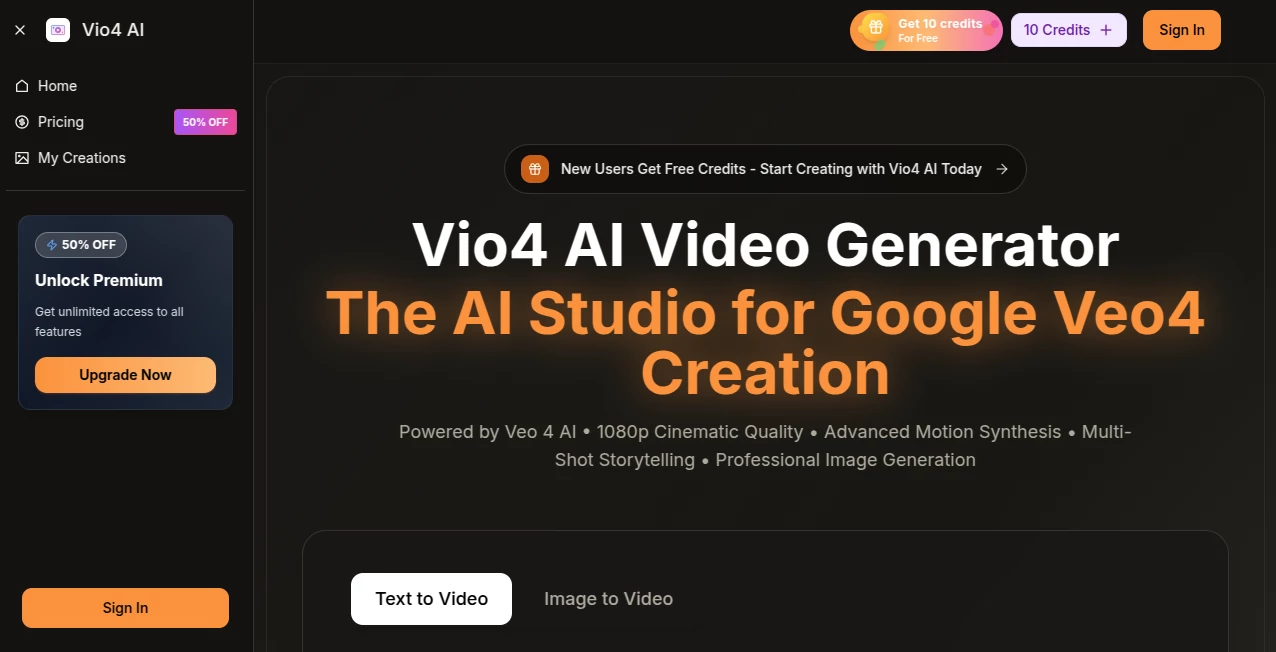
What is vio4 ai video?
You take one still photo—maybe a moody landscape you shot at golden hour, or a portrait that caught someone’s soul—and suddenly it breathes. Gentle wind moves through trees, clouds drift lazily, water ripples, the subject’s hair lifts slightly in an invisible breeze. That’s the quiet magic this tool delivers. It doesn’t just animate; it understands atmosphere and tells a tiny story in motion that feels alive rather than mechanical. I’ve shown clips to people who know video work and watched their eyebrows go up—they genuinely thought it was filmed.
Introduction
Most AI video tools ask for long prompts, multiple reference images, or heavy editing afterward. This one flips the script: give it a single high-quality still and a short mood description, and it returns a short cinematic clip that looks thoughtfully directed. The results carry weight—subtle camera moves, natural lighting shifts, believable physics—things that usually demand a skilled motion designer. Creators from travel vloggers to brand filmmakers have started leaning on it because it saves hours while preserving the emotional tone of the original photograph. It’s not about replacing real footage; it’s about giving static images the life they deserve in seconds.
Key Features
User Interface
Everything happens in one calm, uncluttered screen. Upload your photo, type a few words about the feeling or motion you want (“soft ocean breeze at dusk” or “gentle snowfall in a quiet forest”), choose duration and style strength, then press go. Previews appear quickly so you can adjust before final render. No overwhelming panels or confusing sliders—just the essentials presented in a way that invites experimentation rather than frustration.
Accuracy & Performance
The motion stays respectful to the source. Trees sway in believable wind directions, water reflects light correctly, faces keep their expressions while gaining subtle life. Artifacts are rare even on challenging images (low light, complex textures). Renders typically finish in under two minutes on paid plans, and the quality holds up at 1080p. It’s one of those tools where the first attempt often surprises you with how close it is to what you pictured.
Capabilities
It specializes in short, atmospheric clips—5 to 20 seconds—with natural parallax, depth-aware movement, and cinematic color grading that enhances the mood of your photo. You can guide the direction with text (“slow zoom in,” “gentle pan left,” “falling snow”), and it respects physics: leaves fall, smoke drifts upward, reflections shimmer. Outputs are clean MP4s ready for social, presentations, or as B-roll. The strength is consistency: the animation feels like it belongs to the photograph, not bolted on.
Security & Privacy
Your images are processed securely and deleted from servers after generation. No training on user uploads, no lingering copies. For creators sharing personal or client work, that matters. The whole flow is built with discretion in mind, so you can experiment freely without second-guessing where your files end up.
Use Cases
A travel photographer animates sunset beach shots for Instagram Reels, turning static portfolio pieces into looping stories that stop thumbs. A wedding videographer adds subtle motion to couple portraits for highlight reels, giving stills emotional depth without reshooting. Brand marketers bring product lifestyle photos to life for ads—coffee steam rises, fabric sways—creating premium-feeling content on a small budget. Even writers use it to visualize book cover concepts in motion for pitch decks. Wherever a still image could say more if it moved just a little, this tool makes that happen beautifully.
Pros and Cons
Pros:
- Genuinely cinematic motion that enhances rather than distracts from the original photo.
- Fast renders that let you iterate quickly without losing momentum.
- One-image simplicity—no need for video references or complicated setups.
- Natural physics and lighting that feel directed, not algorithmic.
Cons:
- Short clip length (max ~20 seconds) keeps it focused on micro-moments rather than narratives.
- Best results come from strong, well-composed source images.
Pricing Plans
Free tier gives you a generous number of test generations so you can feel the quality without commitment. Paid plans unlock longer durations, higher resolution, faster queues, and watermark removal—priced in a way that feels fair for both casual creators and professionals doing client work. Monthly and annual options make it easy to scale up when a project demands more, and there’s no aggressive upselling.
How to Use Vio4
Upload a single high-resolution photo that already has good composition and lighting. Write a concise mood or motion description (“gentle waves lapping at the shore at dawn” or “slow camera push-in on a candlelit dinner”). Choose clip length and motion intensity, then generate. Watch the preview; if the feel is close but not perfect, tweak the prompt and try again. Download the MP4 when you’re happy. The loop is fast enough that you can explore several directions in one sitting.
Comparison with Similar Tools
Many “animate your photo” tools produce jittery loops or require multiple images and heavy prompting. This one stands apart by prioritizing cinematic realism and single-image simplicity, delivering motion that feels purposeful and emotionally tuned rather than random. Where others feel like gimmicks, the output here often looks like it belongs in a short film or premium ad. It’s a quieter, more refined approach that creators return to again and again.
Conclusion
Sometimes a single photograph holds an entire mood, a memory, a story waiting to unfold. This tool gives that story gentle motion—nothing flashy, just enough life to pull viewers in deeper. It’s not trying to replace videography; it’s expanding what a still image can become. For anyone who’s ever looked at a photo and wished it could breathe a little, this is one of the most elegant answers out there. Quietly powerful, surprisingly moving.
Frequently Asked Questions (FAQ)
How long are the generated clips?
Up to about 20 seconds—long enough for loops, intros, transitions, or social posts.
Do I need a perfect photo to start?
Better composition and lighting help, but it handles real-world shots surprisingly well.
Can I control camera movement?
Yes—describe it in the prompt (slow zoom, gentle pan, etc.) and it follows naturally.
Is the output watermark-free?
Paid plans remove watermarks; free generations include a small one.
What kind of images work best?
Landscapes, portraits, product shots, and atmospheric scenes with depth and light.
AI Animated Video , AI Image to Video , AI Video Generator , AI Design Generator .
These classifications represent its core capabilities and areas of application. For related tools, explore the linked categories above.
vio4 ai video details
Pricing
- Free
Apps
- Web Tools
Categories

vio4 ai video Alternatives Product

Image Text E…

AI Baby Dance

Flux 2 Klein

Sora-2.co

AI Baby Video

MuseArt AI

soro2

AI Signature…

Seedance Art
