
🧠 AI Quiz
Think you really understand Artificial Intelligence?
Test yourself and see how well you know the world of AI.
Answer AI-related questions, compete with other users, and prove that
you’re among the best when it comes to AI knowledge.
Reach the top of our leaderboard.


















Kling O1

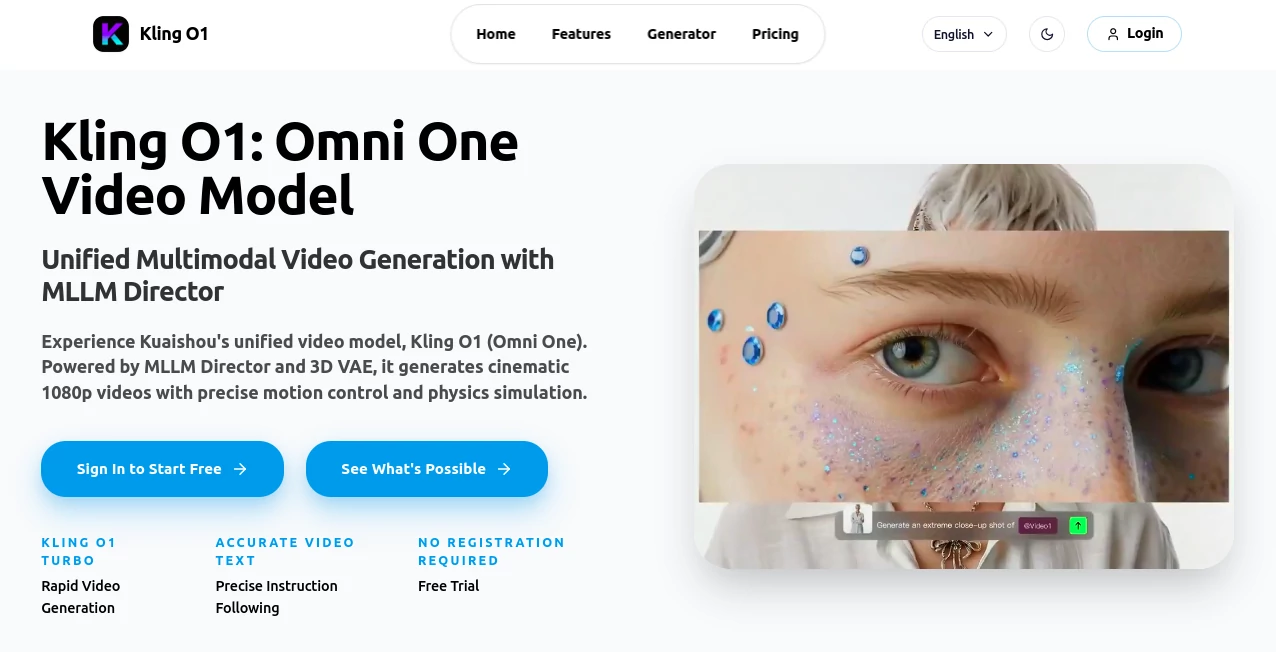
What is Kling O1?
Kling O1 bursts onto the scene as a powerhouse for turning simple descriptions into polished video clips that look straight out of a film set. This tool lets creators dream up scenes with just a few words, watching them spring to life with realistic movements and sharp details. It's the kind of thing that has marketers and storytellers buzzing, sharing clips that once took days to shoot but now wrap up in moments, all while keeping that professional edge.
Introduction
Kling O1 came about from a drive to shake up how videos get made, cooked up by folks at Kuaishou who saw the grind in traditional production and figured there had to be a smoother way. It landed with a splash, drawing in everyone from indie filmmakers to ad agencies who were sick of endless edits and reshoots. Pretty soon, users were swapping stories of campaigns that went viral overnight or pitches that sealed deals, all thanks to clips that captured the exact vibe they had in mind. What really hooks people is how it nails those little touches—like a character's steady gaze across scenes or text that pops clear on screen—making it feel less like a gadget and more like a creative partner that gets you.
Key Features
User Interface
Jumping in feels effortless, with a clean prompt box right up front where you spill your idea, no sign-up walls to slow you down for a quick test run. Pick a vibe from a row of style thumbnails, tweak the frame shape if you want, and off it goes—results beam back fast, lined up for easy peeks and downloads. It's got that welcoming hum, like chatting with a director who sketches on the spot, keeping things light even when you're layering in camera tricks or character quirks.
Accuracy & Performance
Descriptions land with a precision that turns heads, from fluid walks that obey real-world rules to labels that read spot-on without the usual blur. It churns out full clips in under two minutes, even on beefier requests, holding steady without those frustrating hiccups that kill the flow. Creators often point out how it sticks to the script, delivering takes that match the mood you sketched, whether it's a sunny chase or a moody close-up, all while keeping the pace snappy enough to chain ideas together.
Capabilities
It stretches from word sketches to picture starters, whipping up everything from quick social bites to wide-screen epics with tricks like slow zooms or lens flares that mimic pro gear. Keep faces familiar across shots for ongoing tales, or clone looks from a single snap to match your brand's glow. It juggles shapes for any feed, boosts low-res to sharp without cropping corners, and even folds in styles from lifelike to cartoonish, opening doors for ads, stories, or just fun experiments that feel boundless.
Security & Privacy
Your rough ideas stay under wraps during the build, processed quick and cleared out after, with full say on what you keep or share. Paid paths come with clear nods for business use, no strings on where clips land next, from feeds to films. It's that straightforward shield that lets you brainstorm bold without the back-of-mind buzz about leaks, giving teams peace to push boundaries.
Use Cases
Ad teams spin localized spots for different crowds, swapping scenes without hauling crews across borders. Studios dash off storyboards that wow clients, testing angles in a flash before the green light. Social creators pump out themed reels that keep followers hooked, blending trends with personal twists. Even small shops craft product walks that spotlight goods in dream setups, turning browsers into buyers with zero studio sweat.
Pros and Cons
Pros:
- Blends smarts with speed, nailing details that slower setups fumble.
- No barriers to entry—dive in free and scale as ideas grow.
- Versatile enough for pros yet welcoming for weekend warriors.
- Unlocks pro looks at a fraction of the usual hassle and cost.
Cons:
- Credit caps can clip wings on marathon sessions without a top-up.
- Fuzzy prompts sometimes need a sharpen for perfect hits.
- Peak times might queue up, though turbo modes ease the wait.
Pricing Plans
It eases you in with a handful of free spins to feel the rush, no commitment needed. From there, the basic pass at about eight bucks monthly bags enough juice for dozens of dips, stepping to pro around twenty-five for a flood of fast turns and extra tweaks. The top shelf at sixty unlocks the quickest lines and hand-holding for big pushes, with yearly dips trimming the tab and extras always on tap if you run hot.
How to Use Kling O1
Start by jotting your scene in the box, painting it vivid with actions and lights. Snag a style that sings your tune, set the frame to fit your spot, and let it loose. Peek at the preview, nudge if the angle's off, then pull the final cut ready to roll. It's that loop—dream, tweak, grab—that keeps the momentum humming, building a reel from one spark to a full sparkler.
Comparison with Similar Tools
Where some spit basic loops that loop too loose, Kling O1 layers in that director's eye for motion and match, though those might nudge ahead on sheer volume for free rides. Against old-school edits, it slashes the slog tenfold, trading crews for cues but perhaps missing the raw hand-touch for ultra-niche needs. It shines for those craving cinematic snap over endless options, carving a spot where quality meets quick without compromise.
Conclusion
Kling O1 wraps the wild world of video making into a neat, powerful package that empowers more than it overwhelms. It turns the 'someday' scripts into today's screens, proving that a smart nudge can yield stories worth the watch. As more eyes crave fresh frames, this one's poised to keep the reel spinning, inviting creators to craft clips that connect and captivate.
Frequently Asked Questions (FAQ)
How long till a clip's ready?
From half a minute to two on the full-res push, quick enough to keep ideas flowing.
Can I use these for paid gigs?
Paid plans greenlight full runs in ads, shows, or shops—no holds barred.
What styles can I chase?
A spread from real-life grit to animated whims, with room to remix.
Does it keep characters steady?
Yep, lock in looks across takes for tales that track true.
What if I burn through freebies?
Grab a plan or top-up credits—rolls over so nothing wastes.
AI Animated Video , AI Image to Video , AI Text to Video , AI Video Generator .
These classifications represent its core capabilities and areas of application. For related tools, explore the linked categories above.
Kling O1 details
This tool is no longer available on submitaitools.org; find alternatives on Alternative to Kling O1.
Pricing
- Free
Apps
- Web Tools
Categories

Kling O1 Alternatives Product

Sora 2

Omnigen Stud…

Veo3 AI

Motion Contr…

Aura AI
AISeedance2

seedream 5

ai seedance …
Veo4AI
