
🧠 AI Quiz
Think you really understand Artificial Intelligence?
Test yourself and see how well you know the world of AI.
Answer AI-related questions, compete with other users, and prove that
you’re among the best when it comes to AI knowledge.
Reach the top of our leaderboard.


















EraseVideo
Clean Up Your Clips Without the Hassle

What is EraseVideo?
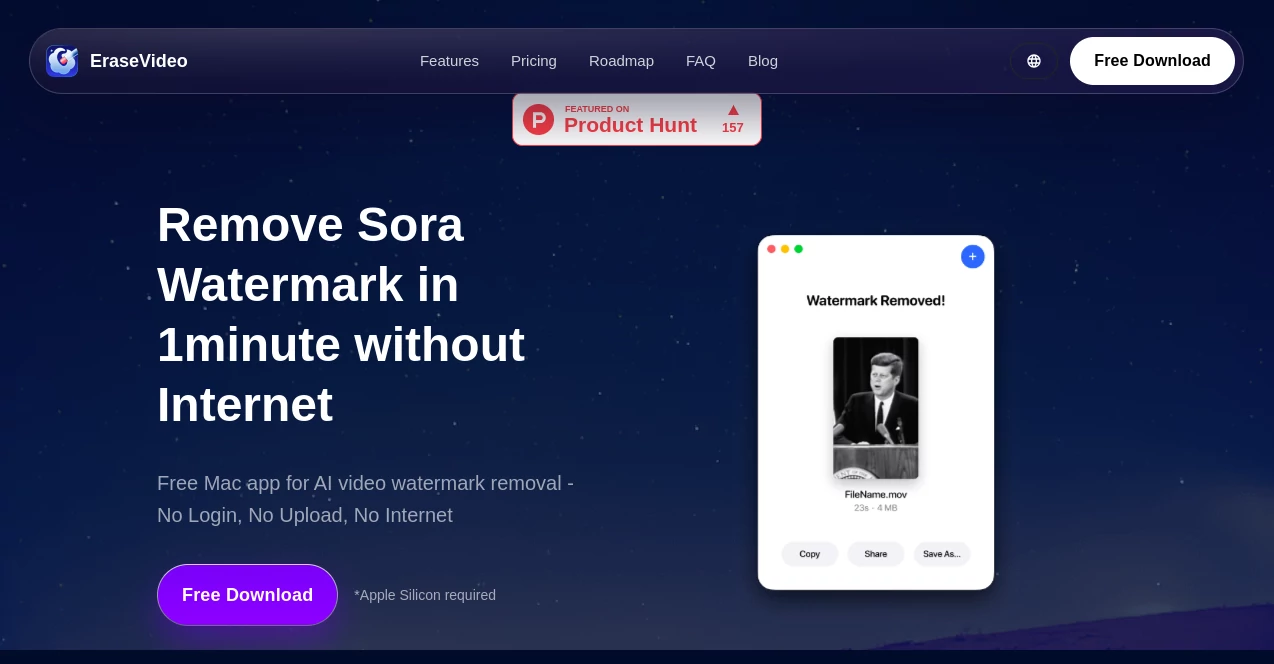
EraseVideo slips into your workflow like a quiet fix, wiping away those pesky marks on fresh footage so you can focus on the story that matters. This handy Mac companion tackles the cleanup from popular creation spots, delivering smooth results that blend right in without a trace. Creators who've juggled endless edits often call it a game-changer, turning what used to be a chore into a quick pass that keeps the creative spark alive.
Introduction
EraseVideo showed up a bit over a year ago, cooked up by a small team of video tinkerers who'd grown weary of clunky online fixes that slowed them down or skimped on quality. They poured their know-how into a tool that runs right on your machine, no web tangles involved, and it caught on quick among Mac users churning out short reels and longer pieces. Word spread through creator circles about how it handled the tricky bits effortlessly, especially for stuff born from those buzzy new generators, leading to a steady hum of folks ditching browser battles for this offline oasis. It's all about that seamless handoff, where the tech steps back so your vision takes the spotlight.
Key Features
User Interface
The setup couldn't be simpler—just drag your file onto the window, and it hums to life without a barrage of buttons or buried options. A clean before-and-after split lets you eyeball the difference right away, with progress bars that zip along without fanfare. It's built for folks who want in and out fast, feeling more like a trusty desk gadget than a full-blown editor, and the native Mac polish means it slots into your day without a ripple.
Accuracy & Performance
It spots those overlays dead-on across a handful of common sources, filling in the blanks with a finesse that keeps the flow natural, rarely leaving a ripple most eyes would catch. On a solid setup, it chews through short segments in under a minute, holding steady even as files beef up, so you aren't left staring at a spinner when deadlines loom. Users nod to how it holds the line on sharpness, making tweaks that pros might second-guess as their own handiwork.
Capabilities
EraseVideo zeros in on scrubbing marks from spots like Sora, Veo, Runway, Pika, KlingAI, TikTok, and Wan, using clever fills that patch without patching over the good stuff. It keeps everything local, so you can stack files without size worries or upload waits, and future tweaks promise batches and finer dials for speed or detail. It's geared for quick hits on AI-born clips, but shines when you need to reclaim footage for fresh spins or polished shares.
Security & Privacy
Everything stays put on your drive, no detours through the cloud or shared servers, meaning your raw cuts never peek out to strangers. It skips the usual traps of online handlers, like sneaky compressions or data grabs, letting you breathe easy with sensitive shoots or personal projects. That locked-down approach earns quiet trust, especially from those handling footage that isn't meant for wandering eyes.
Use Cases
Short-form makers zap overlays from quick AI experiments to post clean on social feeds, keeping the vibe pure without extra apps. Indie filmmakers tidy up test reels before client views, ensuring every frame lands crisp and claim-free. Hobbyists remix old family clips or tutorial bits, breathing new life into marked-up originals for family shares or online lessons. Even pros in tight spots use it for rapid prototypes, dodging the drag of full edits when time's short.
Pros and Cons
Pros:
- Runs offline for zippy turns and zero privacy pangs.
- Smart spotting saves the manual hunt across key sources.
- Free entry point lets you dip in without a wallet hit.
- Keeps quality intact, no fuzzy fallout from the fix.
Cons:
- Tethered to Mac, leaving Windows crowds in the lurch.
- Daily cap on free spins might cramp heavy days.
- Solo file focus for now, with groups on the horizon.
Pricing Plans
The free lane opens wide with a couple daily passes, no sign-up strings, covering the basics for casual cleans. Annual steps in at about twenty bucks for endless runs across a pair of machines, a steal for steady users. Lifetime locks it at fifty, handing over forever access without renewals, and all tiers roll in updates like new source nods. Early grabs keep the tab low before bumps, with easy outs if it doesn't click.
How to Use EraseVideo
Grab the download for your Mac and fire it up, then slide in your clip with a drag. Let it sniff out the spot and weave the mend, peeking at the preview to nod off. Snag the fresh file from your folder, ready for the next cut or upload. For more juice, tap the sub tab to lift limits, and keep an eye on notes for fresh tricks like batch queues.
Comparison with Similar Tools
Online scrubbers often drag with uploads and size caps, while EraseVideo zips local without the wait or worry, though they might flex wider on platforms. Against full editors, it skips the bloat for pinpoint jobs, saving steps but maybe lacking broader brushes. It pulls ahead for Mac loyalists craving quick, safe zaps where others tangle in nets or overload the desk.
Conclusion
EraseVideo quietly claims its corner in the clip cleanup game, handing Mac users a swift, secure way to strip away distractions and let footage breathe free. It bridges the gap from raw to refined without the usual snags, proving small tools can pack big punches in a crowded kit. As more creators lean on fresh sources, this one's poised to keep evolving, a steady hand for those moments when clean counts most.
Frequently Asked Questions (FAQ)
Does it touch my original file?
Nah, it spits out a new one, leaving the source untouched.
What if my mark's from somewhere else?
It tunes to seven big ones now, with more on deck soon.
Need the web to run it?
Not a bit—it's all house-bound for speed and hush.
Batch a bunch at once?
One by one for this round, but queues are cooking.
Safe for work stuff?
As long as you hold the reins on the footage, it's good to go.
Photo & Image Editor , AI Video Editor , AI Video Enhancer , AI Video to Video .
These classifications represent its core capabilities and areas of application. For related tools, explore the linked categories above.
EraseVideo details
This tool is no longer available on submitaitools.org; find alternatives on Alternative to EraseVideo.
Pricing
- Free
Apps
- Web Tools
Categories

EraseVideo Alternatives Product

Normal Map G…

VideoDubber

Change-BG

Image to STL

remove bg vi…

Leonardo.ai

AI Picture G…

Pixora

JFIF to JPG …
