
Idle Pilot
What is Idle Pilot?
If you've ever worked remotely, you know the anxiety. You step away for twenty minutes — grab a coffee, take a walk, deal with something real — and by the time you're back, there's a message waiting: "Hey, are you around?" It's not really a question. It's surveillance with a question mark at the end.
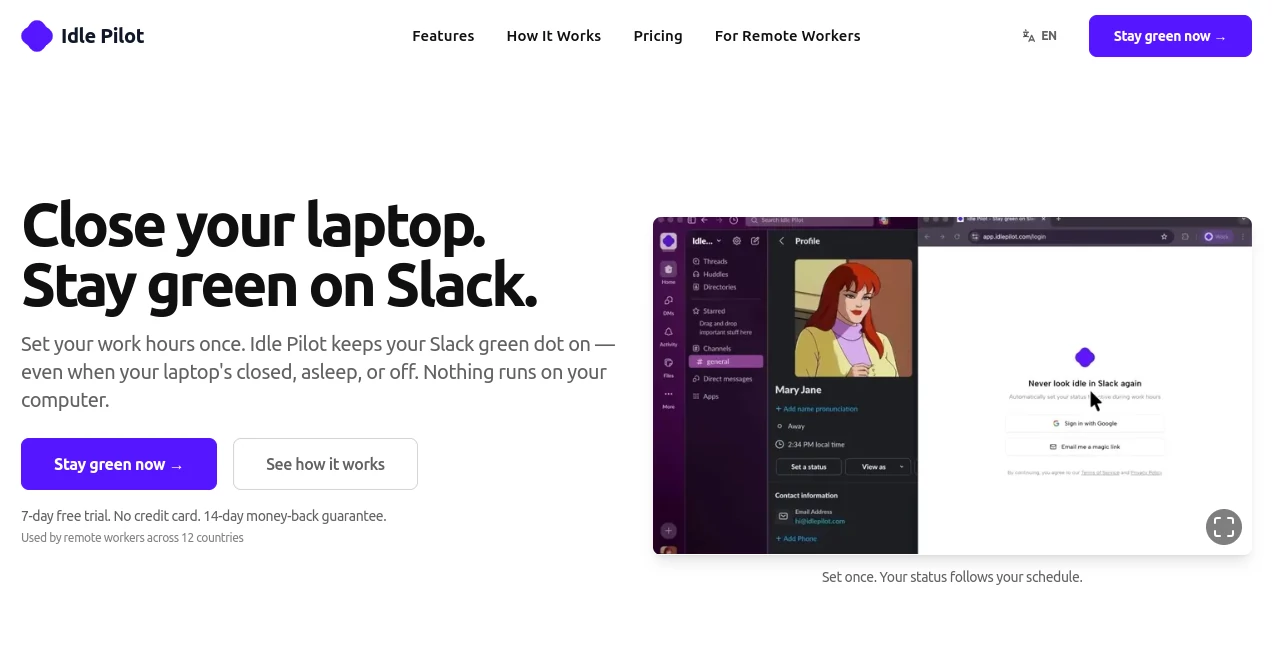
That's the problem this tool was built to solve. It keeps your Slack status green during your scheduled work hours, regardless of whether your laptop is open, closed, asleep, or sitting untouched on your desk. No scripts running in the background. No browser tab left open. The whole thing runs from the cloud, so your machine is completely out of the equation.
Remote workers across 12 countries are already using it — consultants, contractors, distributed team members, and anyone who's tired of being measured by the color of a dot instead of the quality of their work.
Key Features
User Interface
Setup takes about two minutes. You connect your Slack workspace once — either with a single click via a Chrome extension, or manually through any browser — and then you're essentially done. The extension can be uninstalled right after setup; it's only needed for that initial handshake. The dashboard itself is clean and minimal. You set your hours per day, configure any lunch breaks, and flip vacation mode on or off when needed. There's nothing to maintain after that.
The activity history feature adds a visual timeline of when your presence was active, which is a surprisingly useful way to review your own patterns over time. It won't win any design awards, but it doesn't need to — it's functional in exactly the right ways.
Accuracy & Performance
Because the whole system runs server-side, it doesn't depend on your machine's behavior. That's actually a meaningful distinction. Other presence tools break if your computer sleeps, if your VPN disconnects, or if your browser crashes. This one doesn't have that problem. Your Slack status follows your configured schedule with the same reliability as a scheduled server job — because that's essentially what it is.
Timezone handling is automatic. If you're in Berlin one week and traveling to New York the next, your schedule adjusts without you touching anything. That kind of quiet reliability is harder to build than it sounds.
Capabilities
- Per-day scheduling: Set completely different hours for each day of the week. Monday might be 9–5, Friday might be 9–1. Each day has its own toggle.
- Lunch break support: Carve out a break window per day. Your status goes away during lunch and comes back automatically after.
- Vacation mode: One toggle pauses everything. It also integrates with Slack's own status system — if you mark yourself as "Out of Office" or "Vacationing," presence management pauses automatically.
- Instant off: Disconnect completely with one click. Your Slack status returns to its natural state immediately.
- Activity history: A visual log of your presence timeline — useful for reviewing your own patterns or just confirming everything ran as expected.
- Multi-browser setup: Chrome gets the one-click flow; Firefox, Safari, and Edge users have a manual setup that takes about five minutes.
- No admin approval needed: Connects using your own Slack account. No bot tokens, no IT tickets, no workspace permissions required.
Security & Privacy
The tool is strict about what it touches. It only manages your online/away status — it never reads, sends, or accesses your messages, files, or channels. The data stored is limited to your email, basic Slack profile information, and the schedule you configure. That's it.
Because it uses Slack's own web client — the same interface you'd access from a browser — it doesn't appear unusual in access logs. IT teams won't see anything that stands out, and no special permissions are requested at the workspace level. There's also a dedicated security page on the website for anyone who wants the full technical breakdown.
Use Cases
The most obvious use case is for remote workers in companies where "green dot" culture has gotten out of hand — where being unavailable for fifteen minutes triggers a follow-up message. That dynamic is exhausting, and this tool gives you breathing room without the performance of staying visibly tethered to your keyboard all day.
But the use cases go further:
- Consultants and contractors working across multiple clients often need to appear available on Slack workspaces they're not actively in throughout the day. Maintaining that presence manually is tedious. Automating it is just practical.
- Distributed teams spanning time zones sometimes need a member to appear available for a window that overlaps with colleagues elsewhere, even when that person is wrapping up for the day.
- Anyone with a flexible schedule who takes a midday workout, school pickup, or errand seriously — you're still working your full hours, just not necessarily in the standard 9-to-5 block. Your status can reflect your actual work window instead of your physical location.
- People who work better in deep focus and don't want to be pinged every time they step away from the screen. Staying green reduces the number of "are you there?" interruptions that break concentration.
Pros and Cons
- Pro: Genuinely cloud-based — no dependency on your machine being on or your browser being open.
- Pro: Setup is fast and the extension can be removed immediately after.
- Pro: Per-day scheduling with lunch breaks is more flexible than most comparable tools.
- Pro: Vacation mode with automatic Slack status detection is a nice touch that saves you from manually pausing things.
- Pro: No admin approval needed — works with your personal account, no workspace permissions required.
- Pro: 7-day free trial with no credit card required, plus a 14-day money-back guarantee.
- Con: Only supports one Slack workspace at a time — users with multiple workspaces will need to switch manually.
- Con: It doesn't integrate with other tools like Microsoft Teams or Google Chat — strictly Slack.
- Con: The value is highly context-dependent. If you're in an async-first company where nobody checks the green dot, you won't need this.
Pricing Plans
There's a single plan called the Freedom Pass, which keeps things simple:
- Monthly: $9 per month, billed monthly. Cancel anytime.
- Annual: $5 per month, billed as $60 per year — a 44% discount compared to the monthly rate.
Both options include the full feature set: scheduled presence, per-day configuration, lunch breaks, vacation mode, activity history, and instant cancellation. There's no tiered feature gating or "pro" upsell. You either use it or you don't.
New users get a 7-day free trial without needing a credit card, and there's a 14-day money-back guarantee if you decide it's not for you after subscribing.
How to Use the Tool
Getting started is straightforward enough that the website calls it a two-minute setup, and that's roughly accurate:
- Step 1 — Connect your Slack workspace: On Chrome, install the optional extension and connect in one click. On other browsers, follow the manual setup flow — it involves copying a token from Slack's web interface, which sounds technical but is well-documented.
- Step 2 — Configure your schedule: In the dashboard, set your hours for each day of the week. Toggle individual days on or off, add lunch breaks, and confirm your timezone (it detects automatically).
- Step 3 — Remove the extension (optional but recommended): Once connected, the extension isn't needed anymore. Uninstalling it doesn't affect the service.
- Step 4 — Close your laptop and forget about it: Your Slack status will go green at your start time and go away at your end time, every day, without any further input.
For vacation or time off, one toggle in the dashboard pauses everything. Flip it back when you return. That's the entire maintenance overhead.
Comparison with Similar Tools
There are a handful of tools that attempt to solve the same problem, but most of them take a fundamentally different approach. The most common alternative is a mouse mover or jiggler — software that simulates mouse activity on your computer to keep it from going idle. These tools require your machine to be on and your Slack client to be running. Turn off your laptop and they stop working entirely.
Browser-based presence hacks (keeping a Slack tab open in a specific state, or using scripts) have similar limitations — they depend on your local environment staying intact. They're also more fragile: a browser update, a session timeout, or a brief network hiccup can break them.
The cloud-based architecture here is the real differentiator. Because presence is maintained from a server rather than your device, the approach is more reliable and doesn't impose any overhead on your local machine. It's a more honest solution to the problem.
In terms of scheduling granularity — per-day hours, lunch breaks, vacation mode with Slack status integration — it's more fully featured than most lightweight alternatives, which tend to offer only a simple on/off toggle.
Conclusion
There's a version of remote work where presence theater — performing availability rather than just doing your job — consumes a meaningful portion of your mental energy. This tool pushes back against that, quietly and without fanfare.
It's not trying to help you do more. It's trying to help you stop worrying about something that shouldn't require your attention in the first place. If your Slack green dot has become a source of stress, the answer probably isn't to keep your laptop open all day just in case. It's to set your hours, automate the status, and spend that energy on actual work.
The setup is fast, the pricing is fair, the architecture is solid, and the free trial means there's genuinely no reason not to try it if the problem resonates with you. For remote workers, consultants, or contractors who deal with presence-obsessed workplaces, this is one of those rare tools that solves a real, specific, annoying problem — and does it well.
Frequently Asked Questions (FAQ)
-
Does the Chrome extension stay on my computer after setup?
No. The extension is only used once during setup to connect your Slack session. You can uninstall it the moment you're connected — the service continues running from the cloud.
-
Is this allowed by Slack's terms of service?
It uses Slack's own web client — the same interface you access from any browser. Nothing additional runs on Slack's end, and no special permissions are requested beyond what a normal browser session would use.
-
Will my IT team or manager notice anything unusual?
It appears as a standard Slack web session from your usual device. Nothing unusual shows up in access logs, and no workspace-level admin approval is required.
-
Does my laptop need to stay on?
No. Once connected, presence is maintained entirely from the cloud. Close your laptop, put it to sleep, or switch devices — your green dot stays on during your scheduled hours regardless.
-
Can I use this with multiple Slack workspaces?
Currently one workspace is supported at a time. You can disconnect and reconnect a different workspace whenever you need to switch.
-
What data does the service store?
Your email address, basic Slack profile information, and your configured schedule. Messages, files, and channel activity are never accessed or stored.
-
What happens if I want to cancel?
You can disconnect and cancel at any time with one click. Your Slack status immediately returns to its natural state. There's also a 14-day money-back guarantee if you've recently subscribed.
AI Workflow Management , AI Productivity Tools , AI Team Collaboration , AI Scheduling .
These classifications represent its core capabilities and areas of application. For related tools, explore the linked categories above.

Idle Pilot Alternatives Product

MachineTrans…

XreplyAI

Create Filla…

Vurge

Mage Flow AI…

LaunchBoard

Oasis

FINIITE AI

GPT Image 2 …