LLMWISE
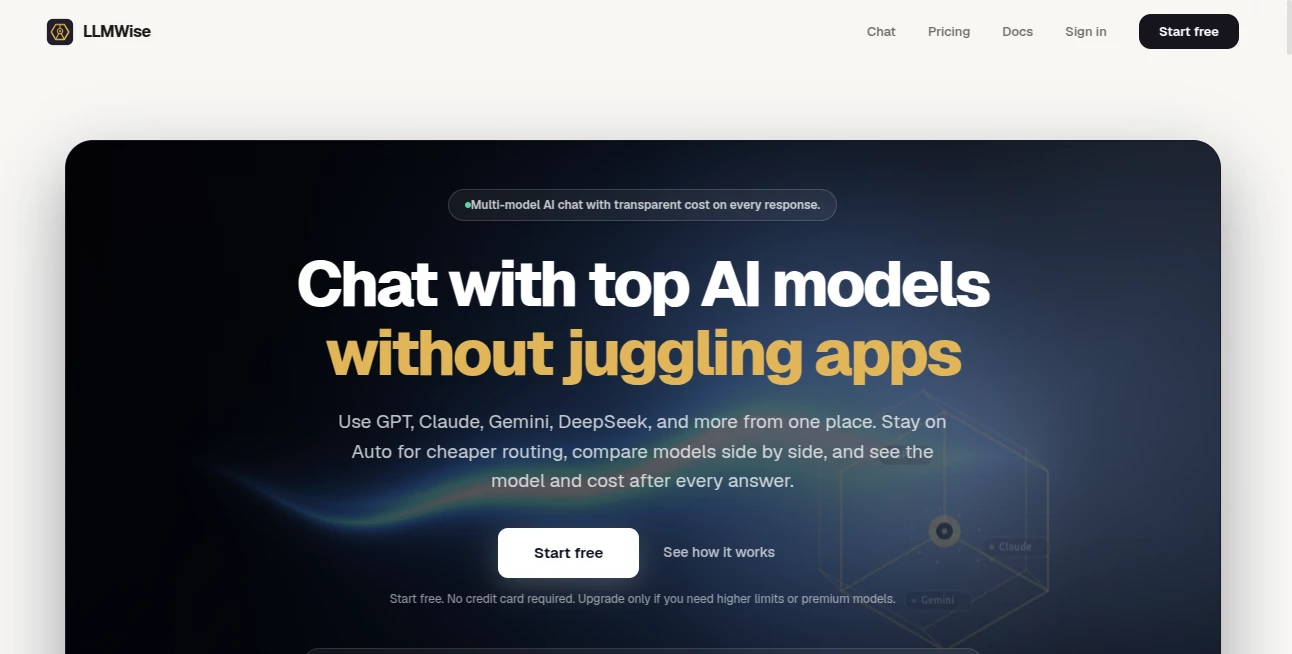
What is LLMWISE?
You know the feeling. You are deep into a coding project, and GPT nails the logic. But when you switch to drafting a client email, the tone feels off. So you open another tab for Claude. Then you need a translation, so you open another for Gemini. Suddenly, you are juggling four subscriptions, five passwords, and a dozen browser tabs just to get a simple job done. It is exhausting, and frankly, it is expensive.
That is exactly why the team behind this platform built a different kind of solution. It is not just another chatbot. It is a unified control panel that sits on top of every major AI provider out there. Think of it as a universal remote for artificial intelligence. You get one simple interface, one API key, and immediate access to over 30 models, including GPT-5.2, Claude, Gemini, DeepSeek, Llama, and Grok. You no longer need to pick a favorite. You just pick the right tool for the specific task at hand.
Key Features
This platform is built for people who actually use AI to get work done. It is not about flashy demos; it is about reliability, flexibility, and raw performance. You get five distinct operational modes that transform how you interact with large language models.
User Interface
The platform shines in its simplicity. On one side of the screen, you have a standard prompt box. On the other, you see a live dashboard. There are no confusing settings menus or hidden buttons. To use the comparison tool, you just type a prompt and select two, three, or four models from a dropdown list. The responses then stream back in real-time, side-by-side. You can see exactly how long each model took, how many tokens it used, and how much it cost you. It turns a black box decision into a transparent, data-driven choice.
Accuracy & Performance
Here is the brutal truth about AI in 2026. No single model is the best at everything. The coding genius often fails at creative writing. The writing master usually struggles with complex math. This platform understands that reality. It uses a feature called "Smart Routing." You do not even have to think about which model to use. Just send a prompt to the "auto" endpoint. The system scans your text in milliseconds. If it sees code syntax, it routes the prompt to GPT. If it detects a request for storytelling or blog drafts, it sends it to Claude. If it needs translation, it uses Gemini. You get best-in-class performance for every single query without ever changing a setting.
Capabilities
Beyond simple routing, there are three advanced features that make this platform truly powerful for professionals.
First is the Compare Mode. You run one prompt through several models at the same time. This is a lifesaver for developers trying to decide which API to commit to for a specific feature, or for writers wanting to see different stylistic takes on a headline.
Second is the Blend Mode. This is the secret weapon. You send a task to two to six models simultaneously. A separate synthesizer model then reads all those outputs, picks the best reasoning from each, and stitches them together into one superior answer. It consistently outperforms any single model you could use alone.
Third is the Judge Mode. Ever wondered if ChatGPT really writes better email than Claude for your specific industry? You can have one model judge the output of two others. It provides an objective score and reasoning, taking the guesswork out of vendor selection.
Security & Privacy
For businesses, data leakage is a real fear. Nobody wants their internal strategy documents fed into a training model. This platform offers a Zero-Retention Mode. When you toggle this on, your prompts and the generated responses are never stored on any disk. The system processes the request, sends back the result, and erases every trace. Additionally, you can "Bring Your Own Keys" (BYOK). If you already have an enterprise contract with OpenAI or Anthropic, you can plug those keys into the dashboard. You get to use your existing volume discounts while still using this platform as the orchestration layer.
Use Cases
Imagine you are building a customer support bot. You need it to be fast, cheap, and accurate. Using the "Mesh" failover routing, you set your primary as a fast, cheap model like Gemini Flash. If that provider gets rate-limited or goes down for maintenance, the system instantly fails over to a backup like Claude Haiku. Your users never see an error screen. The transition happens in milliseconds.
Or consider a marketing agency writing SEO blogs. A writer could use Compare mode to ask GPT, Claude, and DeepSeek for the same outline. They pick the best introduction from Claude, a bullet-point list from GPT, and a conclusion from DeepSeek. They blend them into a final draft that has more texture and insight than anything a single AI could produce. It feels like collaborating with a team of experts, not just one assistant.
Pros and Cons
Pros:
+ Access to 30+ models including GPT, Claude, Gemini, and Llama.
+ Pay-as-you-go pricing with credits that never expire (no monthly subscription trap).
+ Enterprise-grade reliability with circuit breakers and auto-failover.
+ Unique blending feature produces higher quality output than any single model.
+ Zero-retention mode available for privacy-focused teams.
Cons:
- The free tier only provides 40 trial credits, which burns fast with large models.
- Requires technical knowledge to set up the API for production apps.
- Dependency on third-party providers means if OpenAI goes down, your routes failover but latency increases.
Pricing Plans
There are no subscription fees. You never pay a monthly "access fee" just to keep your account open. Instead, you start with 40 free credits to test the waters. From there, you simply purchase credit packs that start at roughly $10 per unit. The beauty of the system is that you can also choose to bring your own API keys. If you do that, you pay the provider directly for tokens, and the platform charges you nothing for the routing. It works as a free orchestration layer if you are using your own keys.
How to Use LLMWise
Getting started takes less than ten minutes. First, you sign up for an account on the main website. No credit card is required for the free tier. Once you are in the dashboard, you will find your unique API key. The platform is OpenAI-compatible, meaning if you have existing code written for ChatGPT, you just change the base URL and the API key. Everything else works exactly the same.
For non-developers, there is a chat interface in the dashboard. You can select which models to activate, type your prompt, and watch the side-by-side results stream in live. It is as easy as using any other consumer AI tool, except you are not locked into a single ecosystem.
Comparison with Similar Tools
Most other tools in this space are simple proxies. They charge you a markup to access GPT or Claude through their interface. This platform is fundamentally different. It is an orchestrator. While tools like OpenRouter focus on just routing requests, this one offers active blending and adversarial judging. You are not just passing a message; you are running a workflow. Furthermore, the "circuit breaker" failover is something most competitors lack entirely. If a provider sends an error, they just fail. Here, the system tries a second, then a third provider automatically to keep your application alive. It is built for production reliability, not just hobbyist experimentation.
Conclusion
The era of being loyal to a single AI model is over. The smartest developers and creators in 2026 are using a multi-model strategy. They use GPT for code, Claude for writing, and Gemini for data analysis. This platform gives you the keys to that kingdom without the headache of managing six different bills. It is cost-effective, brutally fast, and surprisingly easy to use. If you are serious about getting the absolute best answer out of AI every single time, this is the infrastructure you need to try.
Frequently Asked Questions (FAQ)
Do I need to pay for a subscription to keep my account active?
No. There are no monthly subscription fees. You buy credits once, and they never expire. If you run out of credits, your API simply stops responding until you add more or switch to "Bring Your Own Key" mode.
Can I use this for a high-traffic production application?
Yes. The platform is built with SRE-grade reliability. It includes health checks, automatic retries, and circuit breakers to reroute traffic if a primary provider fails. It is designed to handle production loads.
What exactly is the "Blend" feature?
Blend sends your prompt to several different AI models at once. A separate "synthesizer" model then reads all the responses, extracts the strongest arguments and best phrasing from each, and writes a final answer that is better than any of the individual originals.
Is my data safe when using the API?
You have full control. By enabling Zero-Retention mode in your account settings, you ensure that the platform never writes your prompts or responses to a database. They are processed in memory and then discarded permanently.
AI Testing & QA , AI Code Assistant , AI API Design , AI Developer Tools .
These classifications represent its core capabilities and areas of application. For related tools, explore the linked categories above.

LLMWISE Alternatives Product

Ito AI

AI Agent Ski…

KaneAI

Prava Ai

Emergent

Verne

DeepSeek V4

Empiriolabs …

Discord Time…