Prompt2CAD
What is Prompt2CAD?
There's a particular kind of frustration that furniture designers and woodworkers know well: you have a clear picture of what you want to build, but translating that vision into a CAD model takes hours of fiddling with software you didn't go to school for. You end up spending more time fighting the tool than designing the thing.
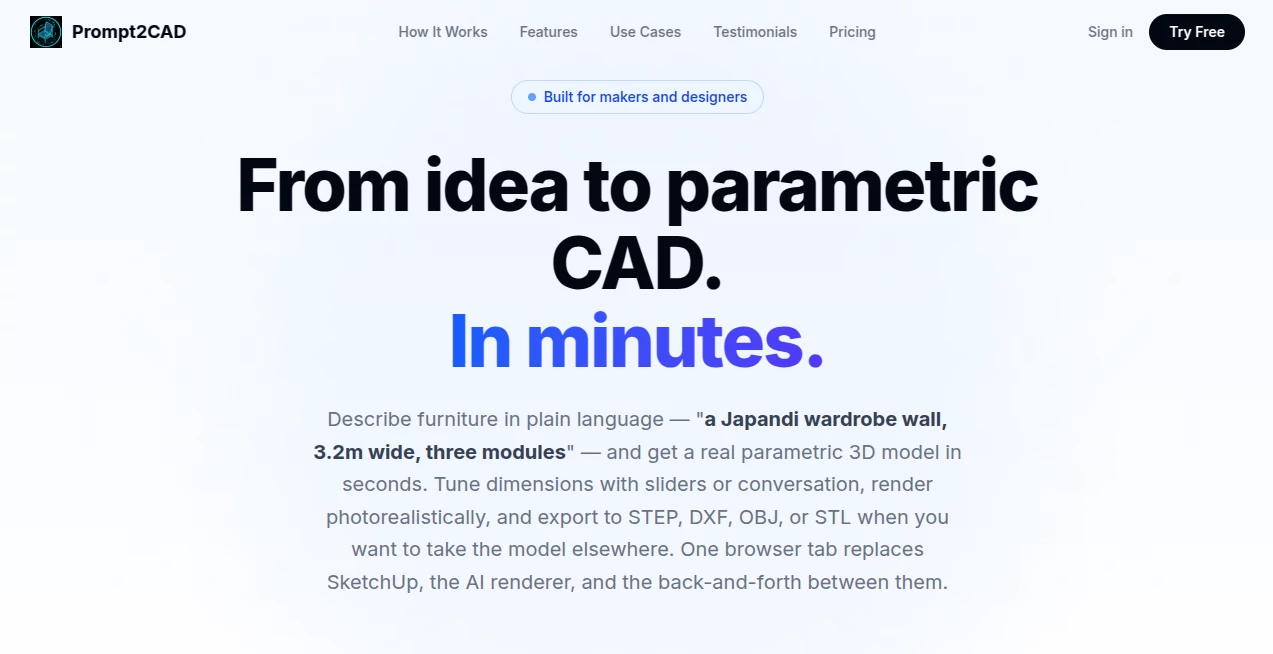
This platform flips that dynamic entirely. Describe what you want in plain language — "a Japandi wardrobe wall, 3.2m wide, three modules" — and you get a real parametric 3D model in seconds. Not a rough polygon mesh you'd be embarrassed to show a client. Actual parametric geometry with real-world millimeter dimensions, adjustable parameters, and export formats that work in professional CAD tools.
It runs entirely in a browser tab. No installation. No onboarding videos. No CAD experience required. For makers, furniture designers, interior architects, and hobbyist woodworkers, it genuinely replaces the SketchUp session, the AI renderer guesswork, and the hours of back-and-forth that typically separate an idea from a presentable model.
Key Features
User Interface
The interface is about as clean as it gets. A chat panel on one side, a live 3D viewport on the other. You type, the model updates. There are no buried menus, no toolbar rows to decode, no keyboard shortcut lists to memorize before you can do anything useful.
Parametric sliders sit alongside the model — adjust width, height, shelf count, door style — and the geometry responds in real time. For someone used to dragging objects around in SketchUp and re-measuring everything afterward, the contrast is stark. Changes that used to take twenty minutes happen in seconds, and you can explore multiple design directions in a single session without starting from scratch each time.
Reference image upload is built in. Paste or drop a photo of furniture you like — a credenza you saw on a design blog, a bookshelf from a catalog — and the AI analyzes the proportions and style before incorporating them into the model. No tracing, no guessing at dimensions.
Accuracy & Performance
The key technical differentiator is what the platform generates: parametric geometry code, not a polygon soup mesh. This distinction matters enormously for anyone who needs to actually build or manufacture what they've designed. Every dimension is in real-world millimeters. Every parameter is adjustable without rebuilding the model from scratch.
The AI also does something unusual: it verifies its own output. After generating a model, it takes screenshots from multiple angles, reads the geometry, diagnoses any issues, and iterates until the result looks right. This self-checking loop means you're less likely to export a model and discover the shelf spacing is completely off only when you open it in Fusion 360.
Generation is fast. A typical furniture model — a kitchen island, a fitted wardrobe, a standing desk — takes around 30 seconds to produce from a text description. Refinements through conversation ("make the shelves thicker," "add a drawer at the bottom") update the model almost instantly.
Capabilities
The range of furniture types covered is broad and genuinely useful:
- Custom bookshelves and storage walls: Describe shelf count, dimensions, style, and back panel preference. Floor-to-ceiling storage walls and media units work equally well.
- Kitchens and cabinets: Wall-mounted runs, base cabinets, islands — the platform handles standard-dimension cabinet layouts with real-world accuracy.
- Wardrobes and fitted storage: Sliding doors, hanging rails, drawer configurations, recessed sections — the parametric controls make it practical to design a custom walk-in closet and iterate on the proportions until it fits the actual room.
- Desks and workstations: Standing desks, L-shaped configurations, cable management details — describe what you need and get a model you can actually spec from.
- Beds, retail fixtures, and specialty pieces: Platform beds, storage beds, upholstered headboards, product display stands — the AI handles unusual geometry requests better than you'd expect.
Export formats cover the full workflow: STEP and DXF for professional CAD tools like Fusion 360, FreeCAD, and AutoCAD; STL for 3D printing; OBJ for universal mesh use; GLB for web and AR visualization; DAE for SketchUp Free with materials; and PNG for viewport screenshots. All in one session, from one browser tab.
The photorealistic rendering workflow is worth noting separately. AI image generators are notoriously unreliable when given text descriptions alone — they produce something in the right genre, not the specific thing you described. By using the exact parametric model as a reference, the renderer follows the geometry precisely. The result is accurate enough to use in client presentations.
Security & Privacy
The platform processes designs through a browser-based session with no local software installation required. Payments are handled through Stripe, and the free tier requires no credit card. For designers working on proprietary furniture concepts or pre-launch product designs, the absence of mandatory account creation lowers the barrier to trying the tool before committing to it.
Privacy and terms documentation is available directly on the site for anyone who needs to review data handling before working with sensitive commercial designs.
Use Cases
The clearest use case is custom furniture makers who need to present a design to a client before committing to materials. Traditionally, that means either a rough hand sketch (unprofessional) or several hours in CAD software (expensive). A parametric model with photorealistic renders, generated and iterated in a single session, changes the economics of that conversation entirely.
Interior designers and architects face a related problem: visualizing bespoke built-ins — storage walls, kitchen runs, wardrobe systems — within a broader room layout. The ability to generate multiple volume and proportion variations through conversation, then hand off STEP files for downstream CAD work, fits neatly into how studio workflows actually operate.
Hobbyist woodworkers get something genuinely valuable: the ability to visualize a project before buying lumber. A loft bed, a garage shelving system, a workbench — describe it, adjust dimensions until they match the actual space, then export to STL for 3D-printed jigs or OBJ for further work in SketchUp. The free tier includes enough credits to complete a real design with several iterations.
- Furniture makers: Client-ready renders and exportable CAD files from a description, without dedicated CAD software expertise
- Interior designers: Fast iteration on built-in furniture concepts for client presentations
- Architects: Volume exploration for bespoke built-ins during early design stages
- Woodworkers and DIY builders: Visualization and dimension validation before cutting material
- Retail and commercial fit-out: Custom display fixtures and shelving designed to exact dimensional specifications
Pros and Cons
What makes it genuinely useful:
- Parametric geometry output — not mesh approximations — means models are actually usable in professional workflows
- Seven export formats cover every downstream use case from 3D printing to professional CAD to web visualization
- Self-verifying AI catches and corrects its own geometry errors before you export
- Reference image upload makes style matching concrete rather than approximate
- Conversational refinement is faster than any menu-driven CAD editing workflow for iterative design exploration
- Free tier includes 120 credits — enough to genuinely test the platform on a real project
- No installation, no credit card for the free tier, no CAD experience required
Limitations to be aware of:
- Currently focused on furniture — not a general-purpose mechanical or architectural CAD tool
- Complex multi-room layouts or highly technical engineering components are outside the current scope
- Photorealistic renders consume 50 credits each, which adds up on render-heavy workflows
- STEP and DXF exports (the professional CAD formats) require the paid tier — free exports are PNG, GLB, OBJ, and STL
- For users who need full parametric history trees or assembly constraints, dedicated CAD software remains necessary downstream
Pricing Plans
The pricing model is deliberately simple: a free tier with a meaningful credit allowance, and a pay-as-you-go top-up when you need more. There's no monthly subscription to worry about, no features locked behind annual commitments.
- Free — $0: 120 credits on signup (enough for one design with several iterations), free exports in PNG, GLB, OBJ, and STL formats, unlimited projects, full AI chat and parametric controls, photorealistic renders at 50 credits each. No credit card required.
- Pay As You Go — $10: 1,000 credits per top-up, equivalent to approximately 11 designs with four refinements each. Unlocks STEP and DXF exports for professional CAD workflows, plus priority AI model access. No subscription required — top up when you need more.
For context on credit consumption: a new design costs 30 credits, a refinement costs 15, and a photorealistic render costs 50. A woodworker designing a custom cabinet and exploring four or five variations before committing would use roughly 90–120 credits. The free tier covers exactly that kind of exploratory session without requiring any payment commitment.
How to Use Prompt2CAD
Getting from zero to a 3D model takes four steps, and the whole thing can realistically happen in under five minutes on a first attempt:
- Step 1 — Describe your furniture: Type a natural language description in the chat panel. Be as specific as you want — dimensions, style references, material preferences, feature requirements. "A standing desk with cable management and a lower shelf, 160cm wide in white oak" works just as well as "a simple desk." Optionally upload a reference image for style guidance.
- Step 2 — Review the generated model: The AI generates parametric geometry code, renders it live in the 3D viewport, and self-checks from multiple angles. The model appears within about 30 seconds for typical furniture pieces.
- Step 3 — Refine through conversation or sliders: Use the parametric sliders to adjust dimensions, shelf count, or toggle features. Or type refinements conversationally — "make it 20cm deeper," "add a back panel," "change the door style to sliding." Each change updates the model without rebuilding from scratch.
- Step 4 — Render and export: Generate photorealistic renders for presentations using the AI rendering workflow. Export in the format your downstream workflow requires — STEP or DXF for CAD software, STL for 3D printing, GLB for web, OBJ for SketchUp.
Comparison with Similar Tools
The closest direct comparison is SketchUp — the de facto standard for furniture and interior design modeling among non-CAD-specialist designers. SketchUp is capable and widely understood, but it requires real time investment to use well. Modeling a fitted wardrobe from scratch takes hours, and iterating on proportions involves manual redrawing rather than adjusting parameters. There's also no built-in text-to-model capability — you start from geometry primitives, not from a description.
General AI image generators (Midjourney, Stable Diffusion, and others) can produce photorealistic furniture visualizations, but they're notoriously unreliable about following specific dimensional or structural descriptions. They give you something in the right genre, not the specific object you described. The workflow of generating an exact parametric model first and using it as a render reference — rather than describing the model to the renderer directly — addresses this problem structurally rather than working around it.
Other text-to-CAD tools exist in the mechanical engineering space, but they're oriented toward precise engineering geometry (gears, brackets, enclosures) rather than furniture design with style, proportion, and material considerations. The furniture-specific focus here means the AI understands style references like "Japandi," handles standard furniture dimensions correctly, and produces models that work for the actual use cases furniture designers and makers face.
For teams already using Fusion 360 or FreeCAD as their primary workflow, this platform fits best as a front-end ideation layer — generate and iterate in conversation, then export STEP for detailed work in the existing tool. It's not a replacement for professional parametric CAD software; it's what happens before you open it.
Conclusion
The gap between having a furniture idea and having a model you can present, refine, and build from has historically been measured in hours and software licenses. Furniture makers without dedicated CAD training either outsourced the modeling, worked from sketches, or invested significant time in tools built for different audiences.
This platform closes that gap in a meaningful way. The parametric output — real geometry, real dimensions, real export formats — separates it from the category of "AI visualization tools" that produce impressive-looking images but nothing you can actually manufacture from. The conversational refinement workflow is genuinely faster than menu-driven CAD editing for iterative design exploration. And the free tier is generous enough to test it on a real project before committing anything.
For furniture makers, interior designers, woodworkers, and anyone who designs things that get built, the question isn't really whether this kind of tool is useful. It's how quickly your workflow adapts to having it.
Frequently Asked Questions (FAQ)
Do I need CAD experience to use this?
No. The platform is designed for people who know what they want to build but don't necessarily have formal CAD training. If you can describe furniture in plain language, you can use it. That said, people with CAD backgrounds will find the STEP and DXF exports integrate cleanly into their existing tools.
What's the difference between parametric geometry and a mesh?
A polygon mesh is a shell — a collection of triangles that looks like an object. Parametric geometry is a model built from dimensions and rules, so changing a parameter (like shelf spacing) updates the entire model correctly. Parametric models are manufacturable; complex meshes often aren't without significant cleanup work in CAD software.
Can I use it for things other than furniture?
The current focus is furniture — bookshelves, cabinets, desks, wardrobes, beds, kitchen units, retail fixtures. It's not designed for mechanical engineering parts, architectural structures, or product design outside the furniture category.
How many credits does a typical design session use?
A new design costs 30 credits, each refinement costs 15, and a photorealistic render costs 50. A design session with four refinements and one render would use 140 credits. The free tier (120 credits) covers a design with a few iterations; the $10 top-up (1,000 credits) covers roughly 11 full design sessions.
Are STEP and DXF exports available on the free tier?
No — STEP and DXF exports require the paid tier. Free exports include PNG, GLB, OBJ, and STL, which cover 3D printing, web visualization, and general mesh use. STEP and DXF (for professional CAD software like Fusion 360 and AutoCAD) unlock with the first $10 top-up.
Can I upload reference images?
Yes. You can paste or upload photos of furniture you want to reference for style, proportions, or specific features. The AI analyzes the image and incorporates the relevant details into the generated model.
Does it work for complex multi-room layouts?
The platform is optimized for individual furniture pieces and built-in furniture systems (wardrobes, kitchen runs, storage walls). Full room layout planning with multiple furniture arrangements and spatial relationships is outside the current core use case.
AI 3D Model Generator , AI Design Assistant , AI Design Generator , AI Text to 3D .
These classifications represent its core capabilities and areas of application. For related tools, explore the linked categories above.

Prompt2CAD Alternatives Product

Beardless Fi…

QR Menu Gene…

image to vid…

Maginary

Paper Animat…

SlideStorm AI

Z-Image

Nano Banana …

Project Geni…