🧠 AI Quiz
Think you really understand Artificial Intelligence?
Test yourself and see how well you know the world of AI.
Answer AI-related questions, compete with other users, and prove that
you’re among the best when it comes to AI knowledge.
Reach the top of our leaderboard.


















WebToMind
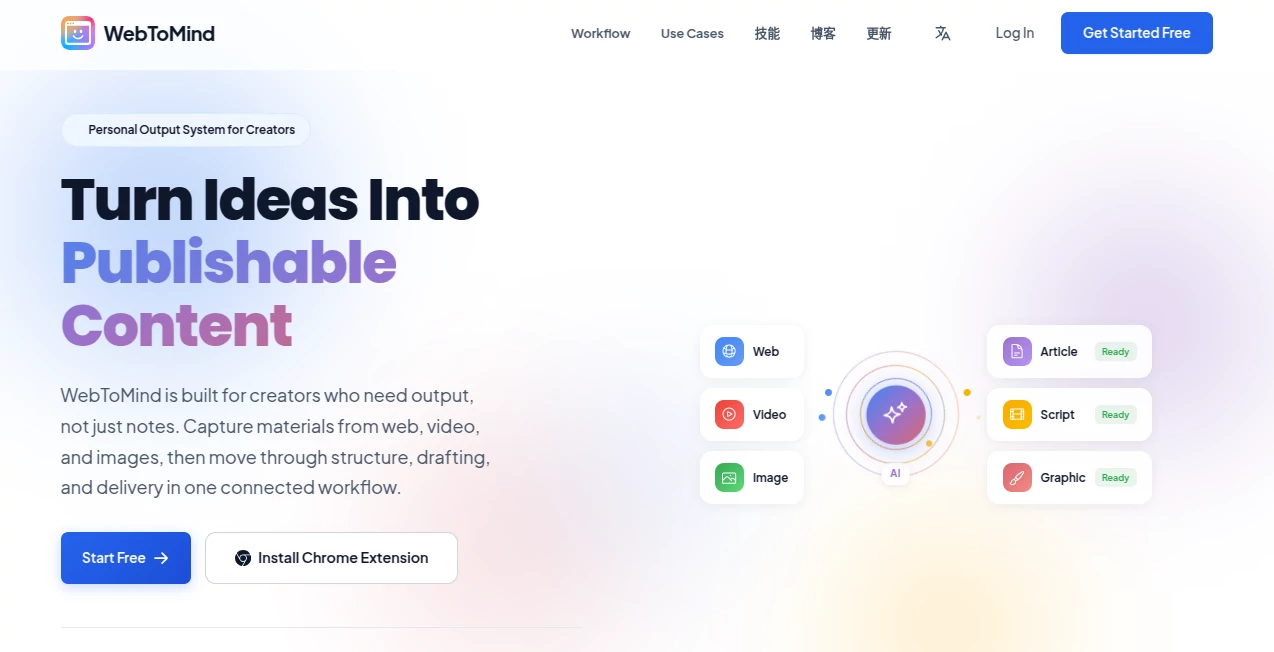
What is WebToMind?
There are days when you stumble across a website so packed with useful information that you wish you could just keep it in your head—or at least have it always one question away. This tool makes that wish real. You feed it a URL (or several), it quietly reads and understands the entire site, and suddenly you have your own private AI that knows everything on that domain like it lives there. I’ve used it on client project docs, niche research sites, lengthy course landing pages—and every time it feels like having a super-smart intern who read the whole thing overnight and is ready to answer anything. The answers are accurate, contextual, and often surface connections I hadn’t even noticed while skimming.
Introduction
Information overload is real, but so is the frustration of re-reading the same long pages every time you need one detail. This platform solves that elegantly: ingest a website once, ask questions forever. No more Ctrl+F marathons, no more losing your place in 50-tab hell. It’s especially powerful for freelancers juggling multiple clients, researchers deep in a topic, students compiling course materials, or anyone who regularly returns to the same knowledge sources. The magic isn’t just in the ingestion—it’s in how naturally it remembers structure, tone, and intent across hundreds of pages, giving answers that feel like they came from someone who truly understands the content, not just scraped it.
Key Features
User Interface
The experience is intentionally minimal: paste a URL, give the knowledge base a name, optionally add instructions on how you want answers styled (formal, concise, beginner-friendly, etc.), and you’re done. The chat interface appears instantly—no bloated sidebar or confusing settings. Conversations are threaded, searchable, and feel like talking to a colleague who’s read the material deeply. Exporting answers or entire chats is one click. It’s one of those rare tools where less UI really does mean more focus on the actual value.
Accuracy & Performance
Answers pull directly from the ingested content with proper citations—page titles, headings, even paragraph references—so you always know exactly where the information came from. Hallucinations are rare because it stays grounded in your sources. Response time is impressively fast even on large sites (thousands of pages), and the context window is generous enough to handle long conversations without forgetting earlier parts of the discussion. In practice, it rarely needs you to repeat yourself or clarify basic facts from the site.
Capabilities
Single-site or multi-site knowledge bases, custom answer tone/personality, source citations with direct links, chat history search, export to markdown/PDF, bulk URL import, and the ability to update the knowledge base when the website changes. It handles technical docs, blogs, course materials, company wikis, research papers hosted online—pretty much any public web content. You can even instruct it to role-play (e.g., “answer like a senior consultant summarizing this site for a client”) and it adapts tone and depth accordingly.
Security & Privacy
Your ingested content never leaves your private workspace—end-to-end encrypted, not used for training, not shared with third parties. No public exposure of your knowledge bases unless you explicitly publish them. For freelancers handling client docs or companies with internal resources (via private URLs), that isolation is a big deal. It’s built with privacy as a core principle, not an afterthought.
Use Cases
A freelance designer ingests a client’s brand guideline site and can instantly answer style questions during calls without tab-switching. A student loads all course reading links and uses it as a 24/7 tutor that always references the exact material. A product manager keeps competitor analysis pages indexed and asks comparative questions as new updates drop. A small agency ingests each client’s documentation once and gives every team member on-demand access without sharing logins. Wherever deep site knowledge needs to be instantly accessible and accurate, it fits naturally.
Pros and Cons
Pros:
- Answers feel genuinely intelligent and context-aware, rarely generic.
- Beautiful citation system builds trust—you can always check the source.
- Privacy-first architecture makes it safe for client or proprietary content.
- Custom tone/personality instructions let you shape responses exactly how you work.
- One-time ingestion + lifetime querying is cost-effective long-term.
Cons:
- Free tier limits number of pages and questions per month.
- Very large or JavaScript-heavy sites can take longer to ingest initially.
- No built-in OCR for scanned PDFs (web pages only).
Pricing Plans
Free plan gives you a taste—limited pages and questions, perfect for trying it on one important site. Paid tiers scale by storage (pages indexed) and usage (questions asked), with generous allowances even on entry plans. Enterprise options add team sharing, custom domains, higher limits, and dedicated support. Many users say the time saved on repeated research pays for the subscription in the first month alone.
How to Use WebToMind
Sign up (email or Google), create a new knowledge base, paste the main URL (or bulk import others), optionally add custom instructions (“answer in bullet points,” “explain like I’m new to this,” etc.). Wait for ingestion (minutes to hours depending on site size). Start asking questions in natural language. Review citations to verify. Save useful threads, export answers, or share the knowledge base privately with collaborators. Update by re-ingesting when the site changes significantly. That’s the entire loop—simple, powerful, and surprisingly addictive once you see how much time it saves.
Comparison with Similar Tools
Chat-with-PDF tools are limited to single documents and lose context quickly. General chatbots forget or hallucinate when dealing with niche sites. Browser extensions can summarize pages but don’t build persistent understanding across domains. This one excels at long-term, site-specific memory with verifiable sourcing and conversational depth—making it feel more like a personal research assistant than a one-off summarizer.
Conclusion
In a world drowning in tabs and forgotten bookmarks, this tool quietly rescues the knowledge you actually want to keep. It turns static websites into living, conversational resources that remember everything and answer with precision and personality. For anyone who regularly returns to the same sources—whether for work, study, or curiosity—it becomes one of those rare tools you wonder how you ever lived without. The future of personal knowledge isn’t more storage; it’s better access. This gets you there today.
Frequently Asked Questions (FAQ)
How many pages can it handle?
Free plan starts with hundreds; paid plans scale to tens of thousands without issue.
Does it work with password-protected or internal sites?
Public sites only—no login support yet (though API ingestion for private content is on the roadmap).
Can multiple people use the same knowledge base?
Yes—share privately on paid plans, or publish publicly if you want community access.
What happens when the website updates?
Re-ingest the URL(s) to refresh—takes minutes and preserves your chat history.
Is my data used to train models?
No—your content is never used for training or shared outside your workspace.
These classifications represent its core capabilities and areas of application. For related tools, explore the linked categories above.

WebToMind Alternatives Product

Altern

aiwget

ATOZAITOOLS

PoweredbyAI

Curate Click

Marketing To…

SciSpace

AIToolsHood

All The Best…